Free tools, gallery, and support
Explore the extras in BeYourCover: use free publishing tools, browse the cover gallery for inspiration, and reach support whenever you need a hand.
Last reviewed against the product: September 8, 2026
Free writing and publishing tools
Open Free Writing Tools to use no-signup tools configured for authors.
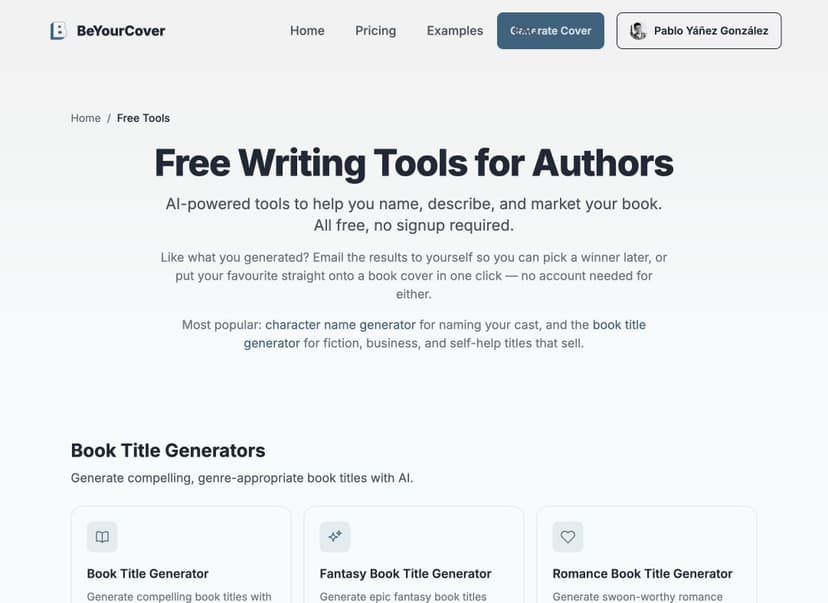
The catalog can include:
- Book title generators
- Book blurb generators
- Fantasy name generators
- Character name generators
- Pen name generators
- Publishing utilities
Genre-specific versions can be available for several generators. Follow the form on the selected tool, generate results, and copy the ideas you want to keep.
Each suggestion also has a use-on-a-cover action (for example "Use this title" or "Put it on a cover"). Selecting it carries your result — plus the description you typed into the tool — into the cover generator embedded at the bottom of the page, so you can preview your idea on a real cover without re-typing anything.
After generating, you can optionally email yourself the results from the card under the suggestions: enter your address and you'll receive a one-time email with everything you generated. On the character and fantasy name tools, that email is a Character Profile Pack: a PDF with your shortlisted names, 20 bonus names generated in the same style, and a printable character-profile worksheet. A separate, unchecked opt-in on the same card subscribes you to occasional author tips; leaving it unchecked means you only get the one email.
The generators are rate limited so they stay free and fast for everyone. If you generate many results in a short burst, you may see a "Too many requests" message; wait a few minutes and try again. Normal use never reaches the limit.
The catalog is updated independently from the cover workspace, so the live Free Tools page is the source of truth for available tools.
KDP cover size calculator
Open the KDP Cover Size Calculator to estimate a full-cover layout from trim size, page count, paper, and binding.
Use it for planning, not as a substitute for a fresh official template. The full-wrap editor performs its own calculation when you create a print design.
KDP cover creator
Open the KDP Cover Creator to build a full print wrap from a front cover you already have. Upload the image, set trim size, page count, paper, and binding, then add spine text and a back-cover blurb. The tool exports a print-ready 300 DPI PDF sized to KDP's full-cover specification — no account, no watermark.
Everything runs in your browser: the image never leaves your device. Because there is no AI in this free tool, the bleed margin around your front cover is filled with a colour sampled from the artwork (or the artwork is scaled to fill, with a slight crop). The External Cover Studio (Pro) extends the artwork itself with AI and can generate matching back-cover art.
When you press download, a dialog first shows what the External Cover Studio would add to the same upload; choose Download my free PDF (or PNG) to continue with the free file — it downloads unchanged, with no watermark.
Your inputs and the uploaded cover save in your browser automatically (still on your device, never on a server), so you can leave the page and continue later. Use Start over in the upload card to clear the saved work. Saving depends on your browser's site data — a private window or clearing site data removes it.
Book launch checklist
Open the Book Launch Checklist for an interactive, phase-by-phase launch plan — from locking your cover 6 weeks out to the post-launch keyword check. Tick items off as you complete them; progress saves in your browser with no account needed. Several items reference assets the Book Launch Kit can generate for you (mockups, listing kit, ad image, promo video), but every step can also be done by hand.
Public cover gallery
Open the AI Book Cover Gallery to browse published examples.
You can use the gallery to:
- Compare genre conventions.
- Study typography, color, and composition.
- Check whether a direction reads as the intended subgenre.
- Open a cover's metadata and generation description when available.
- Share public examples.
Gallery filters help narrow the examples by genre, style, and mood.
Not every cover in a private project is public. Public gallery assets are curated or explicitly saved through the applicable publishing workflow.
Support and issue reporting
The fastest way to reach us is the live chat bubble in the bottom-right corner — if we're online you'll get an answer right away, and if we're not, our reply lands in your email. You can also use the contact page.
From the cover workspace, open Help → Report Issue. The issue form includes the current page URL so support can identify the affected book or screen.
Include:
- What you selected
- What you expected
- What happened
- The approximate time
- The book title
- Whether credits changed
- A screenshot when useful
Do not send passwords, API keys, full payment details, or private authentication links.
Product feedback
Use Leave a review in the account menu for broader feedback. Issue reports are better for something broken; reviews are better for describing the overall product experience.
Reviews you agree to have published are read by the team before they appear anywhere on the site, so a new one is not visible straight away. A long review may be shortened to fit the space it is shown in — your original wording is always kept on file, and the shortened version never changes what you said. Write to support if you would like a published quote updated or taken down.
After you download a cover or export a full wrap, you may also see a small one-time star popup asking how you'd rate BeYourCover. One tap is all it takes — 1 to 5 stars, no form. Everything stays on BeYourCover: ratings are stored privately and you're never redirected to an external review site. Your star joins the genuine average shown on the site. If something fell short, a low rating opens a small text box that sends your feedback straight to the team, privately. You can dismiss the popup if you'd rather not answer (it stays away for a month, and never returns once you've rated).
A rating of 3 stars or less is not final. Open Leave a review again and your stars are there ready to change — tap a new one and it saves on the spot. The same page brings back any review you already wrote, so you can rewrite the words as well. An updated review goes back to the team to be read before it returns to the site. Ratings of 4 or 5 stars stay as they are; write to support if you need one changed.
Enterprise and API questions should mention the subscription tier, team role, and relevant job ID when available.
Affiliate program
Open the Affiliate Program if you want to refer authors or publishers to BeYourCover. Review the current application requirements, commission terms, permitted promotion methods, and payout conditions before applying.