Series covers
Turn a finished cover into a book series: matching next-book covers with a consistent look and recurring characters, ordered on your shelf.
Last reviewed against the product: October 8, 2026
What a series does
A series links your books together and keeps their covers consistent: the next book's cover is generated from the cover you already love — same art style, same color palette, same title typography, and the same recurring characters — while showing a new scene for the new book.
Series covers are available on the Pro plan (and Enterprise). Each next-book cover uses 1 image credit, like a normal generation.
Start a series
- Open a book whose cover you're happy with (Dashboard → My Books → select the book).
- In the cover workspace, select Start a series next to the book title (beside the Edit button). On a phone, it's the book icon next to Edit.
- Name the series (we suggest one from your title) and pick the reference cover — the cover every next-book cover is generated from. Favorited covers (marked ★) are listed first, and the best one is preselected — but any cover of the book can be the reference.
- Enter the next book's title, and optionally a short summary and a cover scene (e.g. "she walks a snowy pier at dusk").
- Select Start series & generate.
If your book's summary mentioned characters, they're carried over automatically so they stay recognizable from cover to cover. You can change the reference cover later — the picker also appears when generating the next book in an existing series.
Add the next book
For a book already in a series, the same button reads Next book in this series. The new book inherits the author, genre, and series look; you provide the title and, optionally, the new scene.
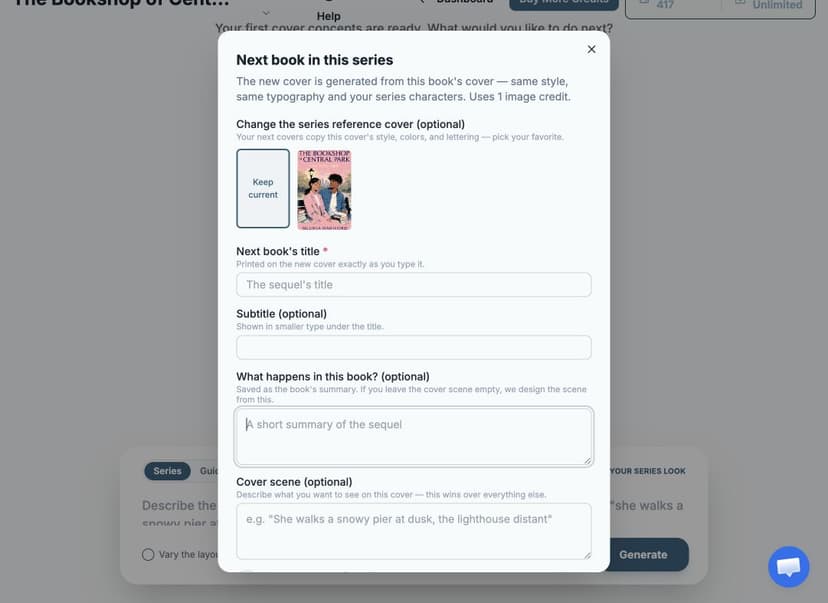
Want a fresh composition for one book (a different layout, same identity)? Tick Vary the layout for this book before generating.
Regenerate a series cover
Not happy with a series cover? Open that book's workspace — from Book 2 onward, the generator bar starts in Series mode ("Matching your series look"). Type a new scene (or leave it blank), optionally tick Vary the layout, and Generate: the new cover is matched to your series reference and Character Sheet, like every series generation, and costs 1 image credit.
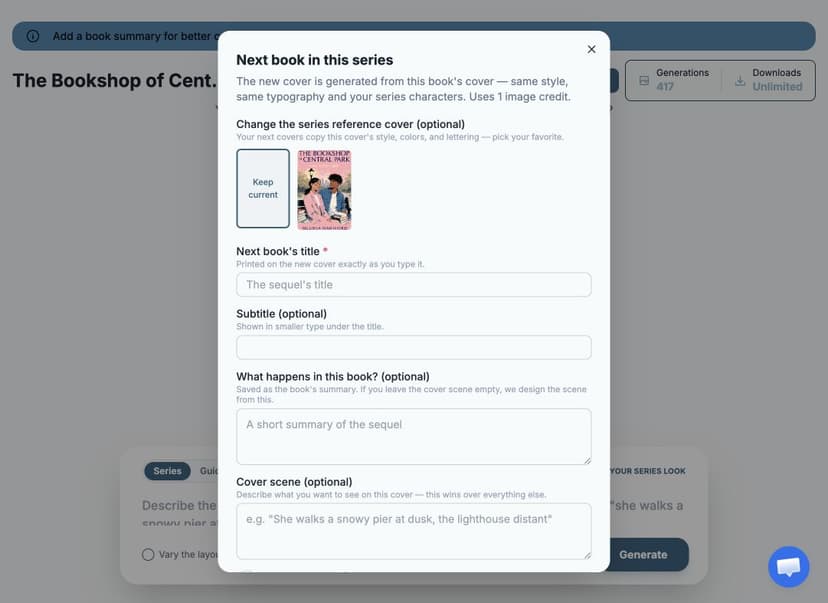
Book 1 keeps the normal generator (its cover is the series reference), but the Series pill is there if you want more covers in the series look for it too.
To experiment outside the series look, switch the bar's pill to Guided/Free Prompt (or Standard) — those generations use the normal generator and won't be matched to the series.
Your series on the Dashboard
Your Dashboard has a Series tab next to My Books. Each series shows as its own shelf: books in reading order (Book 1, Book 2, …), a Characters button for the Character Sheet, and a + Next book tile to continue the series. Books that belong to a series live here (not under My Books), and the search box still finds them by title or author.
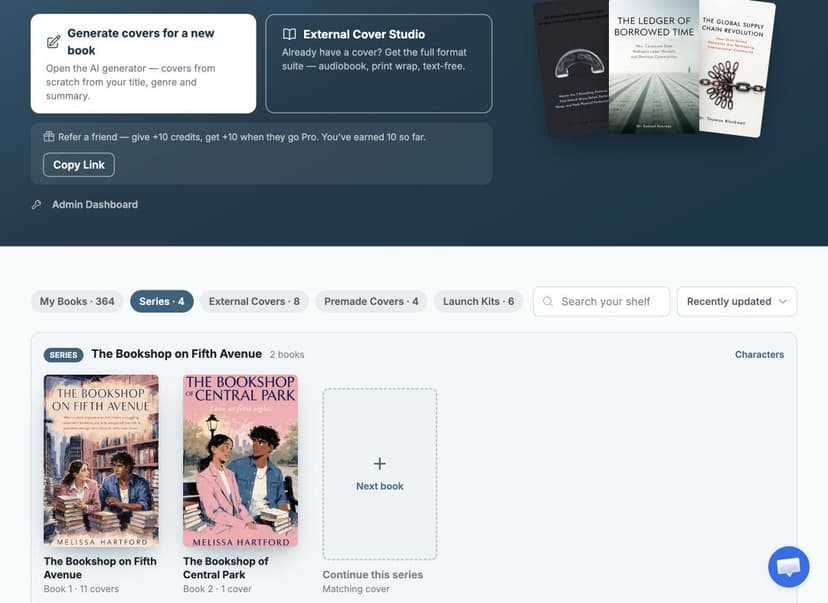
If your series started from an uploaded cover, clicking that Book 1 opens it in the External Cover Studio (wraps, marketing assets) — the same place it lives on the External Covers tab.
Edit your series characters
Your series has a Character Sheet — the descriptions that keep your characters recognizable from cover to cover. It's seeded automatically from your first book, but filling it in yourself is the single best way to improve consistency.
- Open it from the Series tab on your Dashboard (Characters) or from the cover workspace (Edit → Series characters).
- For each character, describe what they look like on the cover: hair, skin tone, build, and their signature outfit. Specific beats vague — "copper-red curls" holds across covers; "nice hair" doesn't.
- Optionally add a reference photo per character.
- Leave Update all books in this series ticked when saving so every book's covers use the new descriptions.
Start a series from a cover made elsewhere
Already have a book 1 cover from a designer or another tool? Upload it through the External Cover Studio. There are two places to start the series from it:
- In the studio hub, right after the upload, select Start on the Start a series card. It sits next to the audiobook, text-free, and marketing cards.
- Later, in the External Covers tab of your Dashboard, choose Start a series from this cover under the upload.
Either way, your upload becomes Book 1 and the series reference — every next book is generated to match it. Once the series exists, the studio card reads Next book in this series.
One difference: since we haven't read your book, the Character Sheet starts empty. Open Characters on the series' shelf in the Series tab and describe your recurring characters before generating book 2 — that's what keeps them consistent.
Keep the print wraps consistent
A series covers the fronts. To give every book the same full wrap, start each new wrap from the one you made for an earlier book: in the wrap editor's print setup, choose From your other books and pick that design. The fonts, sizes, positions, spine styling, overlays, and images carry over, and the spine shows the new book's title. Books in the same series are listed first.
This works for any of your books, in a series or not. See Reuse a design from another book.
How consistency works
- The new cover is generated with your anchor cover as a visual reference, plus a description of your recurring characters.
- Consistency means your readers recognize the series and its characters at a glance — style, palette, typography, and character family. Small variations between generations are normal; regenerate if a result drifts, or generate variations of the result you like best.
- Books in a series show as Book 1, Book 2, … on the Dashboard's Series tab, in the order they joined.
Tips
- Pick your strongest cover as the anchor before starting the series — everything else is matched to it.
- A concrete cover scene ("standing on a cliff at dawn, holding the bone compass") gives noticeably better results than leaving it blank.
- The next-book cover lands in the new book's own workspace, where all the normal tools work: variations, editing, text tools, and downloads.