How to Repurpose One Book Cover for Print, Audio, and Ads
Turn one approved front cover into a print wrap, audiobook square, text-free artwork, mockups, ads, and social assets without rebuilding the design.
Posted by
 Pablo Yáñez
Related reading
9 Best Book Marketing Tools for Indie Authors (2026)
Compare nine book marketing tools for indie authors, from market research and cover design to reader delivery, email, promotion, and ad tracking.
6 Best Book Brush Alternatives for Indie Authors (2026)
Looking for a Book Brush alternative? Six tools for indie authors compared — AI cover generators, mockup makers, and free options — with real pricing.
6 Best Canva Alternatives for Book Cover Design (2026)
The best Canva alternatives for book cover design: AI cover generators, free pro design apps, and author-specific tools — compared with honest pros and cons.
Ready to design your cover?
Use our AI book cover generator to create tailored book cover concepts in minutes.


One finished front cover can supply an entire release, but it cannot be copied unchanged into every format. A paperback needs a back and spine. An audiobook needs a square composition. Ads and mockups need space for platform copy and different crops.
The efficient approach is to keep one visual identity and create several format-specific files from it.
Start with one approved master
Lock the front cover before making derived assets. Otherwise, a late title or artwork change spreads across every file.
Your master checklist should include:
- Correct title, subtitle, series line, and author.
- Approved artwork with no visible generation or retouching errors.
- Clear rights to use the image and fonts.
- Strong readability at thumbnail size.
- A high-resolution download stored outside the design application.
If the cover was made inside BeYourCover, open its export actions. If a designer or another application made it, use the External Cover Studio (step-by-step guide). Uploading does not regenerate the front. The studio uses that image as the parent for later formats.
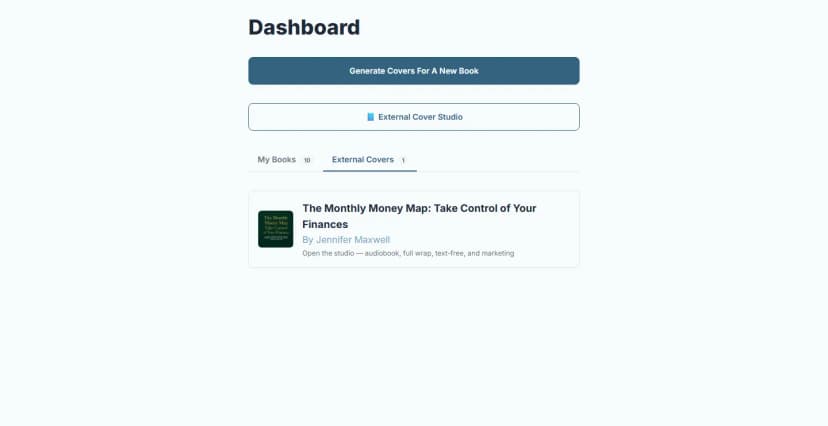
Confirm the detected title, author, and genre after upload. Those details guide the derived formats and marketing scenes.
Convert the front into a full print wrap
A print cover is one flat layout with four required areas:
- Back cover.
- Spine.
- Front cover.
- Bleed, plus format-specific safety or hinge areas.
The size depends on the exact edition. Collect the binding, trim size, final formatted page count, paper, and print provider before you begin. A manuscript page count is not enough because formatting can change it.
Use the free KDP Cover Size Calculator to check the geometry. Then open the full-wrap editor and select the same production settings. No Pro plan yet? The free KDP Cover Creator builds a basic wrap with a colour-filled margin instead of AI extension.
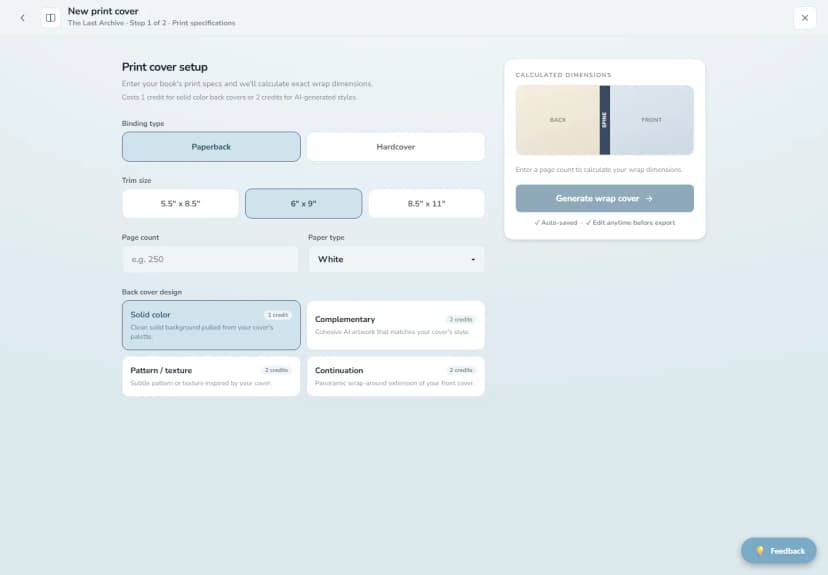
BeYourCover supports Amazon KDP paperback and hardcover wraps. It also supports Barnes & Noble paperback and printed-case hardcover wraps. Barnes & Noble supplies the spine width through its template, so enter that value instead of estimating it.
The full-wrap workflow can:
- Extend the front artwork to fill the print panel.
- Create a solid or generated back-cover treatment.
- Place the tagline, blurb, author bio, and spine text.
- Keep text inside safety areas and away from the barcode guide.
- Export a named print-ready PDF directly to the device.
Always compare the final file with the current template from your printer. Open the PDF after download and inspect it at full size. Our Amazon cover dimensions guide explains the measurements behind the file.
Make an audiobook cover by recomposing, not cropping
A tall ebook cover and a square audiobook cover have different centers of gravity. A center crop can remove a face, cut the title, or leave no space for the author.
Build the square version in this order:
- Protect the main focal point.
- Expand or reconstruct the sides when possible.
- Reposition the title for the square.
- Increase small type that became weak.
- Test the result as a tiny app thumbnail.
BeYourCover creates a square audiobook version from a generated or uploaded front. The standard workflow can also upscale the result to a 2400 by 2400 file. Read our full audiobook cover guide for detailed design checks.
Create a text-free master for flexible layouts
A text-free version keeps the artwork and removes the title, author, and other cover lettering. It is one of the most useful files in a release folder.
Use it for:
- Amazon A+ graphics.
- Ads with separate platform copy.
- Social backgrounds and animated reveals.
- A new title layout for an alternate format.
- Video scenes where the cover text would repeat.
- Print panels that need extended artwork.
Review the removed areas at full resolution. Patterns, faces, or architecture behind the old text can reveal seams after reconstruction.
Turn the cover into marketing resources
A flat cover file proves what the book looks like. A marketing image shows the book in a context readers understand.
Useful outputs include:
- A book on a shelf or desk.
- A reader holding the book.
- A phone showing the audiobook.
- An e-reader scene for Kindle readers.
- A partial peel-back image for a cover reveal.
- Post and story formats for social channels.
- A focused image for a small paid ad test.
- A short reveal video.
BeYourCover's Marketing Resources can build these from either an in-app cover or an external upload. Auto styling matches the scenes to the book's genre. Presets such as Cozy, Minimal, Moody, Luxe, Summer, Autumn, and Winter holidays let you control a campaign mood.
Choose one style per campaign phase. Random visual treatments make the launch look less connected even when every image contains the same cover.
Agencies and publishers can take the same cover further with the marketing kit on the Enterprise plans. One run makes the full channel set on the client's brand kit, including tall story ads and the preview card that appears when the book's link is shared. These two come from the kit of a sample book made in BeYourCover:
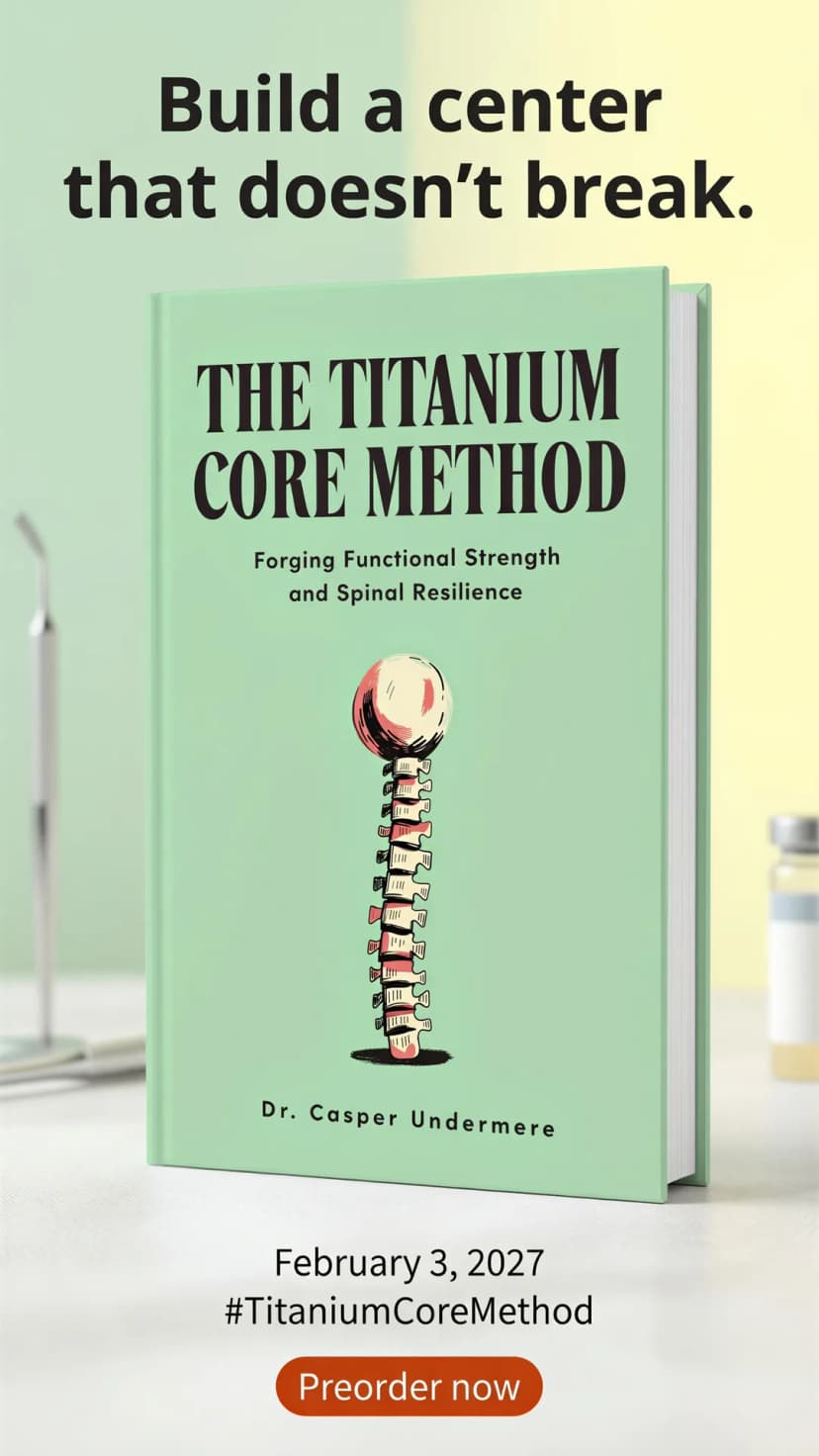
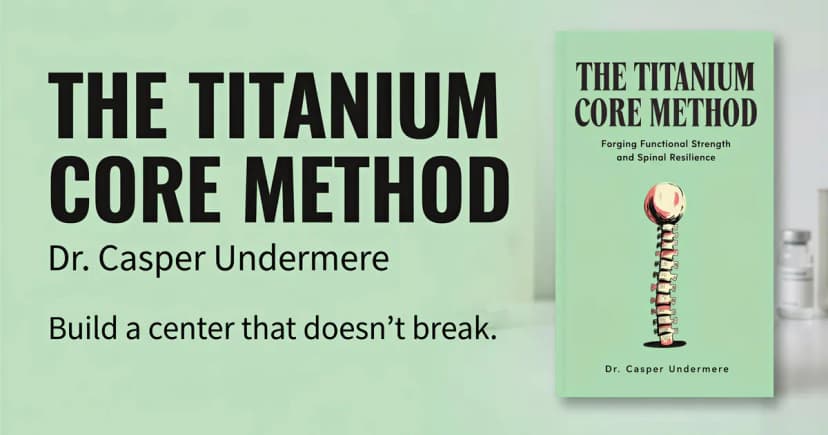
For a full campaign bundle, see the book marketing assets guide. For standalone mockup tools, the mockup section of our Book Brush alternatives guide compares the options.
Keep a clean file structure
Derived assets multiply quickly. Store them by function, not by whichever tool created them.
Book Title/
  01-master-front/
  02-ebook/
  03-print/
    kdp-paperback-6x9/
    bn-hardcover-6x9/
  04-audiobook/
  05-text-free/
  06-marketing/
    social-post/
    social-story/
    ads/
    video/
Put the trim, binding, page count, and revision in every print filename. The direct full-wrap download already includes important edition details in its name. Do not overwrite an approved file when the interior page count changes.
Proof each format on its real surface
The master cover can be correct while a derived asset fails.
Print proof
Check the printer preview, spine alignment, back-cover readability, bleed, safety margins, barcode clearance, and the physical proof copy.
Audiobook proof
Check the square composition at small size. Confirm that title and author remain legible and that no essential object was cropped.
Marketing proof
Check that the mockup did not alter the cover. Inspect hands, book edges, phones, shelves, and any reconstructed background. Add prices, claims, and calls to action in the advertising platform after you approve the image.
One identity, several purpose-built files
Repurposing saves time when every output starts from an approved source and serves one format. It creates problems when one flat file is stretched, cropped, or reused without proofing.
Lock the front. Record the edition details. Build each format for its real canvas. Then store and proof the files as separate products that share one recognizable cover identity.
Relevant Free Tools
Keep going with the right generator
These tools match the topic of this article and give readers a direct next step.
Publishing Tool
KDP Cover Size Calculator
Free interactive calculator for exact KDP spine width and cover dimensions, with a downloadable blank template.
Open tool
Publishing Tool
KDP Cover Creator
Upload your front cover and build the full KDP print wrap — spine, back cover, exact bleed — then download a print-ready 300 DPI PDF. No sign-up, no watermark.
Open tool
Ready to Create Your Own Book Cover?
Turn your story into a visual masterpiece. Fill in the details below to start generating professional covers instantly.