Kindle Ebook Cover Size: 2,560 × 1,600 px (KDP Specs)
The ideal Kindle ebook cover size is 2,560 × 1,600 px (1.6:1 ratio). Get KDP minimums, 300 PPI resolution, and file formats for a crisp, click-worthy cover.
Posted by
 Pablo Yáñez
Related reading
9 Best Book Marketing Tools for Indie Authors (2026)
Compare nine book marketing tools for indie authors, from market research and cover design to reader delivery, email, promotion, and ad tracking.
6 Best Book Brush Alternatives for Indie Authors (2026)
Looking for a Book Brush alternative? Six tools for indie authors compared — AI cover generators, mockup makers, and free options — with real pricing.
6 Best Canva Alternatives for Book Cover Design (2026)
The best Canva alternatives for book cover design: AI cover generators, free pro design apps, and author-specific tools — compared with honest pros and cons.
Ready to design your cover?
Use our AI book cover generator to create tailored book cover concepts in minutes.


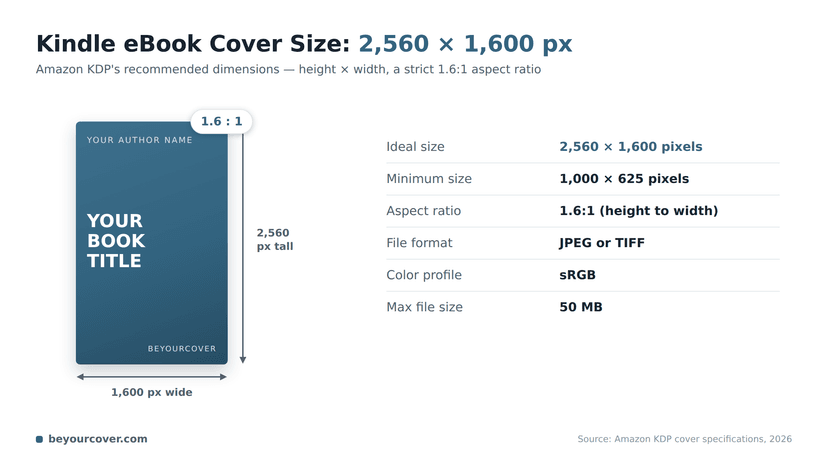
The ideal Kindle ebook cover size is 2,560 pixels tall by 1,600 pixels wide — a 1.6:1 aspect ratio. KDP accepts a minimum of 1,000 × 625 pixels, but the recommended size is what keeps your cover sharp on high-resolution devices and legible as a thumbnail. Save it as a JPEG in sRGB, under 50 MB.
This page owns front-only Kindle and ebook cover-size questions. For a broad ebook-versus-print comparison, use Amazon book cover dimensions. For physical trim sizes, use Amazon KDP book sizes.
Your Quick Guide to KDP Ebook Cover Specifications
Before you focus on fonts or imagery, you need to master the technical specifications. For indie authors publishing on Amazon KDP, this is where a professional-looking book begins. A cover file that meets Amazon's requirements uploads without errors, shrinks down to a thumbnail that’s still legible, and looks crisp on every screen. It’s the first signal to a potential reader that your book is worth their time.
This guide breaks down the essential KDP requirements—dimensions, aspect ratio, file formats, and more—into a practical, quick-reference format.
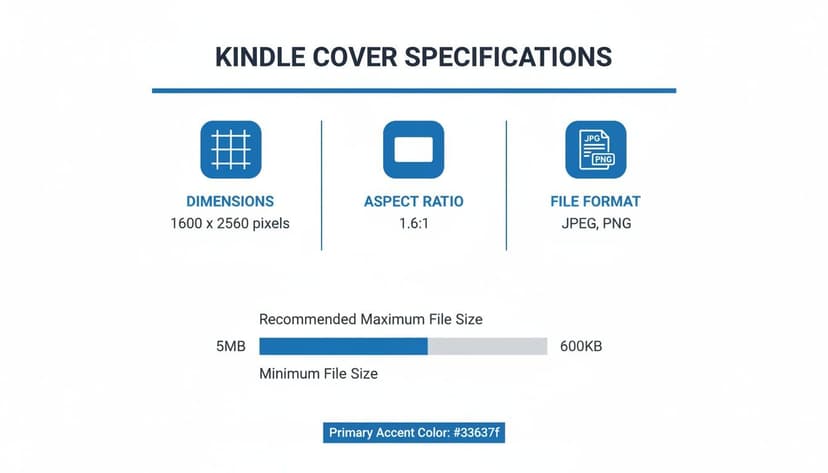
This visual shows the core pillars of a KDP-compliant file. Hitting the right pixel count, locking in that 1.6:1 ratio, and saving in the correct format are the absolute basics. Of course, knowing the rules is one thing; applying them to create something that actually sells books is another. For a deeper dive into making your design compelling, check out our full guide on creating the perfect book cover for your ebook. It will help you bridge the gap between technically compliant and truly captivating.
Amazon KDP Ebook Cover Specifications at a Glance
For authors who just need the numbers, here’s a quick-reference table summarizing everything you need to know to keep your cover file in line with KDP’s requirements.
| Specification | KDP Requirement | Recommendation |
|---|---|---|
| Dimensions | Minimum 1,000 x 625 pixels | 2,560 x 1,600 pixels |
| Aspect Ratio | 1.6:1 (height to width) | Stick to 1.6:1 exactly |
| File Format | JPEG or TIFF | JPEG for best balance |
| Color Profile | RGB | sRGB for web consistency |
| Max File Size | Under 50 MB | Keep it under 50 MB |
Think of these specs as the blueprint for your cover. Meeting the minimums gets you in the door, but hitting the recommendations is what makes your cover look truly professional and future-proof.
Why Your Kindle Cover Size Determines Sales Success
Choosing the right Kindle ebook cover size isn't just about checking a box on KDP's upload form. It’s one of the most critical marketing decisions you’ll make for your book. Your cover is the first—and often the only—chance you have to grab a reader’s attention on an incredibly crowded digital bookshelf. When you get the size right, it transforms from a simple image into a powerful sales tool.
The real battle for a reader's click happens at the thumbnail level. This tiny version of your cover appears in Amazon's search results, "customers also bought" carousels, and promotional emails. If your cover is sized incorrectly, it will look blurry, distorted, or have unreadable text when shrunk down. Readers scroll right past that. A sharp, professional-looking thumbnail, on the other hand, signals quality and practically begs to be clicked.
The Real Cost of Getting It Wrong
Ignoring KDP's size requirements leads to more than just the frustration of a rejected upload. An improperly sized cover file can quietly cripple your book's long-term potential.
- Pixelation on High-Res Devices: A cover that’s too small will look fuzzy and pixelated on modern Kindle Fire tablets and high-resolution screens, instantly branding your book as amateur.
- Loss of Professionalism: Just like typos in a manuscript kill a reader's trust, a poorly rendered cover makes them assume the writing inside is just as unpolished.
- Reduced Click-Through Rates: Readers subconsciously filter out covers that look "off." A blurry or oddly cropped thumbnail is far less likely to earn that crucial click, which directly hurts your sales and your book's ranking in Amazon's algorithm.
Amazon KDP pushes for their ideal dimensions of 2560 x 1600 pixels for a reason. This size is engineered for their ecosystem, where tiny thumbnails drive the vast majority of impulse buys. Getting the Kindle ebook cover size wrong means Amazon's own compression algorithms might butcher your image, leading to pixelation and potentially slashing your click-through rates.
While getting your Kindle cover size right is a huge piece of the puzzle for ebook sales, this principle of optimizing visuals for engagement applies across all digital platforms. If you want to dive deeper, there are great resources on mastering digital storefront image sizes for higher conversions.
Ultimately, your cover is a core business asset. Sizing it correctly is the very first step to maximizing its impact, whether you're designing an intricate photorealistic fantasy cover or a clean, effective minimalist non-fiction design.
Decoding KDP Cover Dimensions and Aspect Ratio
When you're getting your ebook cover ready for Kindle Direct Publishing, two specs matter more than anything else: the pixel dimensions and the aspect ratio. Don't think of these as annoying rules. See them as the blueprint for making sure your cover looks sharp and professional everywhere it shows up. Nailing these two things is the foundation of a great first impression.
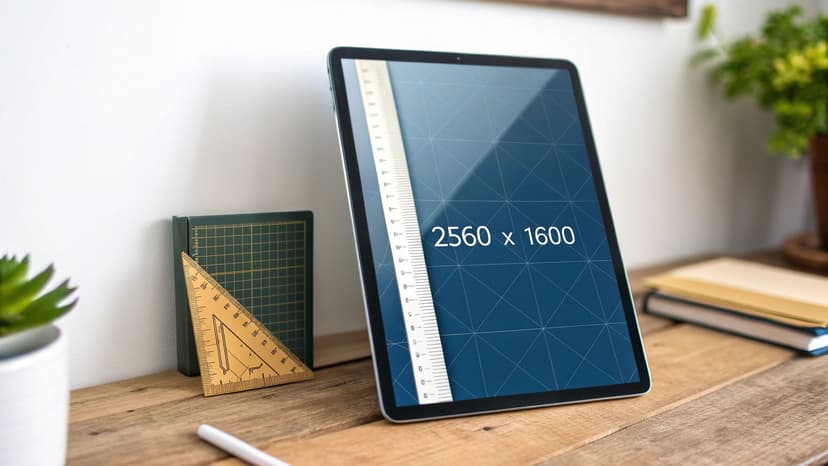
While KDP says the minimum size is 1,000 x 625 pixels, experienced authors always aim for the ideal: 2,560 pixels tall by 1,600 pixels wide. This isn't just about looking good today; it's about future-proofing your book. As Amazon rolls out new high-resolution devices, having a larger source file means your cover stays crisp and clear. It’s the difference between looking professional and suffering from that dreaded, amateurish pixelation.
The Power of the 1.6 to 1 Aspect Ratio
Why those specific numbers? It all comes down to the 1.6:1 aspect ratio. You get this by dividing the height by the width (2560 ÷ 1600 = 1.6). For every 1.6 units of height, your cover has 1 unit of width. This tall, rectangular shape is the gold standard across the entire Kindle ecosystem, from the main product page to the "customers also bought" carousels.
Stick to this ratio, and you can rest easy knowing your cover will display perfectly without any awkward cropping or stretching. Amazon’s platform is built to showcase covers in this format, which intentionally mimics the feel of a physical paperback. It creates a clean, uniform "digital bookshelf" that's appealing for shoppers to browse.
This consistency is key. It doesn't matter if you've designed a stunning romance novel cover or a bold, typography-driven non-fiction guide; the 1.6:1 ratio ensures your book fits right in with the bestsellers.
Why This Ratio Drives Sales
There’s a good reason the 1.6:1 aspect ratio became the standard. The taller, narrower format is simply more eye-catching when displayed in a grid of thumbnails, and a well-optimized cover is proven to correlate with higher conversion rates. You can dig into more data on how KDP's cover guidelines impact author success to see the full picture.
Ultimately, this isn't just a technical detail—it's a marketing strategy. Whether you're using an AI tool to test concepts or working with a designer, starting with the right canvas size lets you focus on what really matters: creating a design that connects with your audience. Think of a compelling visual for a space opera or a subtle, haunting image for a psychological thriller. By embracing the ideal dimensions and the 1.6:1 ratio, you give your book its best shot at grabbing a reader's attention from the very first glance.
Getting the Technical Details Right: Resolution, Color, and File Formats
Once you've nailed the dimensions, a few other technical details are critical for getting your cover uploaded to KDP without a hitch. Think of these as the final polish: resolution, color profile, and file format. Getting them right ensures your design looks sharp and professional on every screen and avoids frustrating upload errors.
Resolution and Color Profile
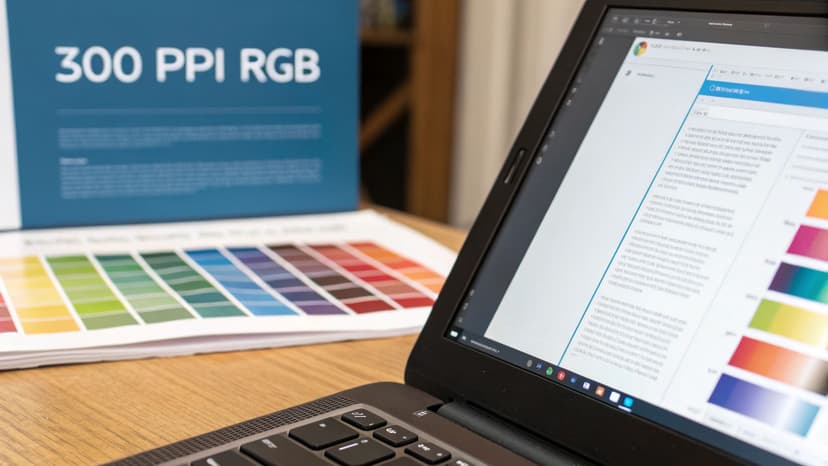
First, let's talk about resolution. You’ll often hear that screens display images at 72 PPI (Pixels Per Inch). While that's technically true, Amazon's guidelines are clear: upload your cover at 300 PPI.
Why the higher number? It gives Amazon's system more data to work with. When they compress your image for the Kindle store, starting with a higher-resolution file results in a much crisper, clearer final product. It’s a simple way to future-proof your cover for newer, high-resolution devices.
Next is the color profile, and this one is non-negotiable. Your cover file must use the RGB (Red, Green, Blue) color profile. This is the language of digital screens. If you accidentally use CMYK (which is for print), you’ll see some seriously weird color shifts after you upload.
Pro Tip: Always export your final cover file with a 300 PPI resolution and an RGB color profile. This duo guarantees the best possible quality and accurate colors across all Kindle devices and apps.
Choosing the Right File Format
Amazon KDP gives you two choices for your ebook cover file format: JPEG (or JPG) and TIFF. For most authors, there's a clear winner.
- JPEG: This is the go-to for a reason. It uses "lossy" compression, which intelligently reduces file size by discarding a tiny bit of image data the human eye won't miss. A high-quality JPEG strikes the perfect balance, giving you fantastic visual quality in a small, fast-loading file.
- TIFF: This format uses "lossless" compression, meaning it keeps every single pixel of the original image data. While that sounds great, it creates a massive file that’s usually overkill for an ebook cover.
To really get a handle on this, it helps to understand the fundamental difference between lossy and lossless compression. KDP has a file size limit of 50 MB, and a high-quality JPEG will always come in well under that limit.
If you want a deeper dive into the whole design process, from brainstorming ideas to hitting that final export button, we've put together a full guide on how to create a book cover online.
How to Create a KDP-Compliant Cover That Sells
Knowing the right Kindle ebook cover size is just the first step. The real challenge is creating a file that meets those specs while also looking incredible. For indie authors, there are three main ways to get a KDP-compliant cover that not only looks professional but also hooks your target audience.
The path you take usually comes down to your budget, design skills, and how much creative control you want. It's always a good idea to explore different styles, like some of these stunning photorealistic sci-fi covers, to get inspired before you decide on a method.
Your Three Main Options
-
Professional Design Software: Firing up a tool like Adobe Photoshop gives you absolute control over every pixel. You can set up your canvas to the perfect 1600 x 2560 pixels at 300 PPI right from the get-go. This route has a learning curve, but the creative possibilities are endless.
-
Hire a Professional Designer: This is easily the most hands-off approach. A good book cover designer already knows KDP’s technical rules inside and out, but more importantly, they understand the genre conventions that make readers click "buy"—whether you're writing a deep-dive non-fiction book or an epic fantasy. It's often the best investment for authors who want a guaranteed top-quality result without touching any software.
-
Use a Dedicated Cover Creation Tool: Modern platforms can make the whole process surprisingly simple. Some AI-powered tools, for example, can generate design concepts that are already perfectly formatted with KDP's dimensions. You can explore different looks, from illustrated fantasy designs to clean, minimalist concepts, knowing the final file will be ready to upload. And if you would rather pick a layout than describe one, you can browse free book cover templates by genre and start from a finished design instead of a blank canvas.
A Fast Workflow From Brief to Kindle-Ready JPEG
If you are using an AI-assisted workflow, the goal is not just to create a good-looking image. It is to move from story brief to a clean 1600 x 2560 px cover that still reads at thumbnail size.

- Enter the book brief first. Start with the title, author name, genre, and a short summary in the free AI book cover generator. This gives the system enough context to choose genre-appropriate composition, palette, and typography.
- Compare a few visual directions. Generate more than one option, then use "More like this" on the strongest cover so you can keep the palette and composition while testing new crops, title treatments, or focal points.
- Check the thumbnail before you export. Shrink the cover until it is about the size of an Amazon search result. The title should still be readable, the genre should still be obvious, and the main image should not collapse into visual noise.
- Export the Kindle file separately. Save the final ebook cover as a high-quality JPEG in RGB/sRGB. If you also need print, audiobook, or launch graphics, create those as separate exports instead of resizing the Kindle file by hand.
No matter which path you choose, the final goal is the same: you need a high-quality JPEG file saved in the RGB color profile. That specific combination is the key to a smooth upload and a cover that looks vibrant on every Kindle screen.
If you're working with a tight budget, don't worry—there are some fantastic resources out there. You can learn exactly how to create a book cover for free and still get a polished, professional result.
Common Kindle Ebook Cover Size Mistakes to Avoid
Getting your book cover uploaded to KDP shouldn't be a technical exam. But when you’re wrestling with an upload error, it almost always comes back to one of a few common, easy-to-fix mistakes. Knowing them ahead of time will save you hours of frustration and get your book looking professional from the start.
Think of this as your troubleshooting checklist for the most frequent stumbles authors take with their ebook cover files.
Wrong Aspect Ratio or Dimensions
This is, without a doubt, the number one culprit behind upload rejections. It’s tempting to create a perfectly square cover for social media or reuse the PDF from your print version, but both of those will either be rejected or horribly distorted by KDP.
- The Pitfall: Uploading a cover that doesn't hit the required 1.6:1 height-to-width ratio. For instance, a 2000 x 2000 pixel image (a 1:1 ratio) or even a standard 1800 x 2700 pixel print cover (a 1.5:1 ratio) just won't fly.
- The Solution: Set up your canvas correctly from the very beginning. The ideal dimensions are 1600 pixels wide by 2560 pixels tall. Start there, and you'll never have to worry about the aspect ratio again.
Low Resolution and Pixelation
Your cover might look sharp on your computer screen, but once it hits the Amazon store and gets compressed into a thumbnail, it can turn into a blurry, pixelated mess. This is an instant red flag for potential readers, screaming "low quality."
- The Pitfall: Designing or saving your cover image at a low resolution, like 72 PPI. Another common misstep is starting with a canvas smaller than KDP’s absolute minimum of 1000 x 625 pixels.
- The Solution: Always work in 300 PPI. Combine that with the ideal 1600 x 2560 pixel dimensions, and you’re giving Amazon’s system more than enough data to work with. The result? A crisp, clean image, even after their compression algorithms do their thing.
Incorrect Color Profile
The technical difference between colors on a screen and colors on a printed page trips up many authors. If you upload a cover using a color profile meant for printing, it will look dull and flat on every digital device.
- The Pitfall: Exporting your final cover file using the CMYK color profile. CMYK is the standard for ink and printing presses, but it's not what digital screens use to display color.
- The Solution: Make sure your file is saved in the RGB color mode. This is the universal standard for all digital displays—from Kindle e-readers to iPads and smartphones. It ensures your colors pop and look as vibrant as you intended.
Beyond these technical specs, there's one big conceptual pitfall to avoid: ignoring genre conventions. The visual language of an enemies-to-lovers romance cover is completely different from that of a gritty thriller. Failing to meet reader expectations can be just as damaging as any technical file error.
Frequently Asked Questions About Kindle Cover Size
Getting your Kindle cover specs right can feel tricky, but it's a detail that makes a huge difference. Here are straightforward answers to the most common questions from indie authors.
What Size Should a Kindle Ebook Cover Be?
Amazon KDP recommends 2,560 pixels tall by 1,600 pixels wide — a 1.6:1 height-to-width ratio. The minimum accepted size is 1,000 × 625 pixels, but the recommended dimensions are what keep your cover sharp on high-resolution devices and legible at thumbnail size.
Can I Use My Print Book Cover for My Ebook?
No, you shouldn't use the exact same file. A print cover is a much larger file, usually a PDF, that includes the spine and back cover. It's also built using a CMYK color profile, which is designed for ink on paper.
Your ebook needs a simple, front-cover-only image. It should be formatted to KDP's ideal dimensions (1600 x 2560 pixels), saved in the RGB color mode for screens, and delivered as a JPEG or TIFF file. It's a completely different asset.
What Happens If I Upload the Wrong Cover Size?
This is a mistake you really want to avoid. If your cover is too small or has the wrong aspect ratio, one of two things will happen: KDP will either outright reject it, or it will try to "fix" it by stretching or squashing the image to fit.
The result is almost always a distorted, blurry mess on your book's Amazon page. A low-quality thumbnail screams amateur and can absolutely kill your sales before a reader even clicks on your book.
Do I Really Need a 300 PPI Resolution?
It might seem counterintuitive since screens operate at 72 PPI, but yes, uploading a 300 PPI (or DPI) file is a critical best practice. Think of it as giving Amazon's compression algorithm more data to work with.
When you provide a high-resolution source file, the system can create a much sharper, cleaner final image. This ensures your cover looks fantastic on everything from a basic Kindle to a high-res Kindle Fire tablet, effectively future-proofing your book's appearance.
Is TIFF Better Than JPEG for My KDP Cover?
While TIFF is technically a "lossless" format (meaning it keeps 100% of the original image data), it creates massive files. JPEG is a "lossy" format, but it’s incredibly smart about how it compresses images, resulting in a much smaller file with virtually no perceptible loss in quality.
For KDP, a high-quality JPEG is the gold standard. It gives you a crisp, beautiful cover and easily keeps you under KDP's 50 MB file size limit. There’s really no practical benefit to using a TIFF for your ebook cover.
Relevant Free Tools
Keep going with the right generator
These tools match the topic of this article and give readers a direct next step.
Publishing Tool
KDP Cover Size Calculator
Free interactive calculator for exact KDP spine width and cover dimensions, with a downloadable blank template.
Open tool
Publishing Tool
KDP Cover Creator
Upload your front cover and build the full KDP print wrap — spine, back cover, exact bleed — then download a print-ready 300 DPI PDF. No sign-up, no watermark.
Open tool
Ready to Create Your Own Book Cover?
Turn your story into a visual masterpiece. Fill in the details below to start generating professional covers instantly.