Back to Blog

How to Increase Book Sales on Amazon: An Author's Practical Guide

Learn how to increase book sales on Amazon with actionable strategies for metadata, pricing, ads, and cover design to amplify your KDP success.

Posted by

Selling more books on Amazon boils down to a simple, two-part formula. First, you need to boost your book's visibility so readers can actually find it. Second, you have to optimize its product page so that once they find it, they're convinced to buy it.

This isn't about a secret hack. It's a strategic mix of a professional cover, smart metadata, targeted ads, and building social proof. For an indie author publishing on Amazon KDP, mastering these fundamentals is the key to creating a sustainable sales engine.

Build Your Foundation For Amazon Sales

Before you spend a dollar on ads, your book page must be ready to convert browsing shoppers into buyers. Think of your Amazon detail page as your digital storefront. If it’s cluttered, confusing, or fails to instantly communicate what your book is about, potential readers will click away and never return.

To effectively increase book sales on Amazon, your first job is to get this foundation right. This Modern Playbook to Increase Sales on Amazon drives this point home with in-depth strategies. The two cornerstones of this foundation are your book cover and your metadata—the title, subtitle, and description. These elements work together to grab a reader's attention and signal value instantly.

Your Cover is Your #1 Marketing Tool

Let's be blunt: your book cover is the single most important marketing asset you have. In the endless scroll of Amazon, your cover is the visual handshake that makes someone stop. A great cover has one job: get the click.

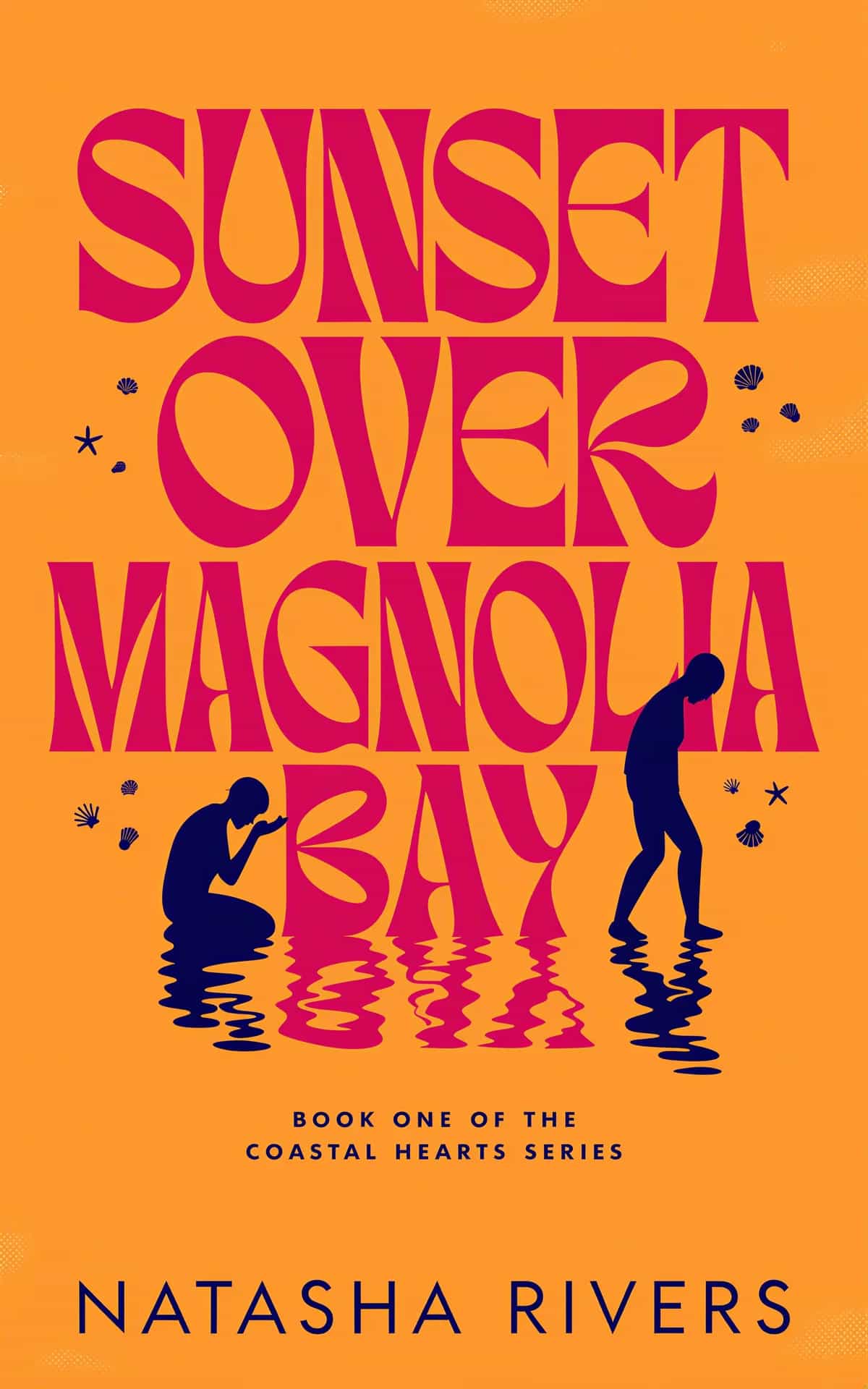
It has to scream "your next favorite read" by perfectly matching the expectations of your genre. A professional romance cover uses visual shorthand—like illustrated characters or a steamy embrace—to promise a completely different experience than the dark, high-contrast imagery of a thriller book cover. Get this wrong, and you'll attract the wrong readers while pushing away the right ones.

Your cover doesn't just sell the book; it sells the experience a reader is looking for. It must look like other bestsellers in its specific niche while still being unique enough to stand out.

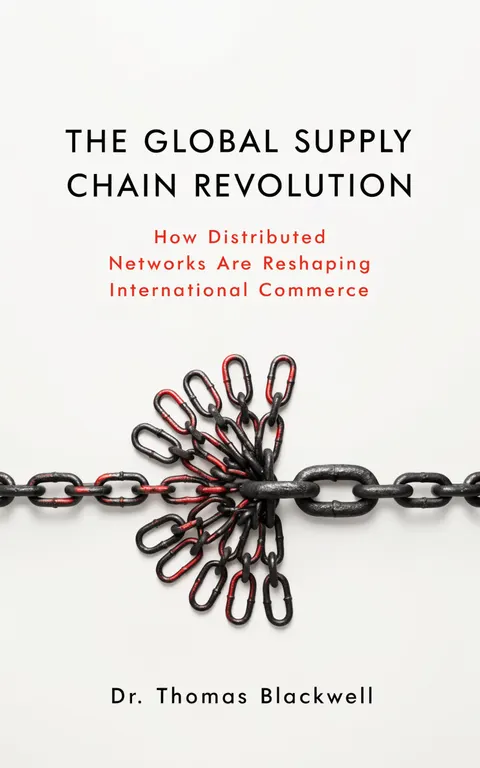
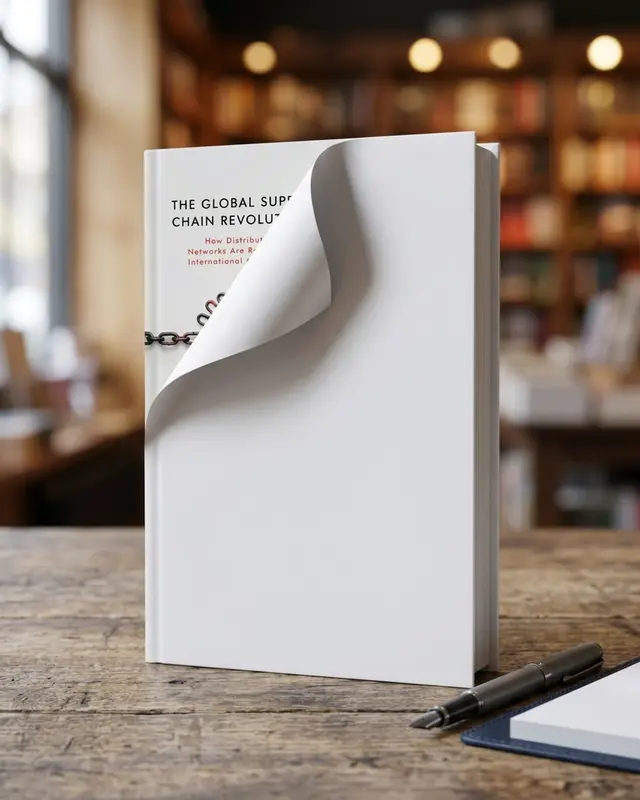
You don't need a massive budget to get this right. You can test different concepts by using an AI tool to generate mockups. This allows you to see which visual hooks connect with your target audience before committing to a final design. It’s a practical way to ensure your marketing is on point from day one.

Craft Compelling and Discoverable Metadata

While the cover sparks initial interest, your metadata is what closes the deal. This includes your title, subtitle, and book description.

  • Title: It needs to be memorable and evocative, hinting at the core theme or conflict without giving everything away.
  • Subtitle: This is prime keyword real estate. A great subtitle tells both readers and Amazon's algorithm exactly what kind of book this is (e.g., "A Gripping Psychological Thriller with a Shocking Twist").
  • Book Description (Blurb): Your blurb must hook the reader from the first sentence. Introduce the stakes, create intrigue, and end with a question or a powerful statement that makes them need to know what happens next.

This diagram shows how critical these pieces are to your book's foundation on Amazon.

A diagram illustrating the book foundation process with three steps: Cover, Title, and Subtitle.

A strong cover, a clear title, and a keyword-rich subtitle are the non-negotiable first steps. They create the solid product page you need before moving on to other marketing efforts.

These foundational elements are about discoverability and conversion. They feed Amazon's A10 algorithm the information it needs to show your book to the right people. By getting these pieces right, you build a solid base for everything else. Without this strong foundation, any traffic you drive to your page is wasted.

Master Amazon Keywords And Categories For Discovery

A professional desk setup featuring an open book, a tablet in a stand, and a keyboard.

With a killer cover and polished metadata, the next step is getting your book found. This is where many authors stumble, but mastering discoverability gives you a massive advantage.

Stop thinking of Amazon as just a bookstore. It's a search engine. Your keywords and categories are the signals that tell its algorithm exactly who to show your book to. Get this right, and Amazon will start selling your book for you.

Uncover Keywords That Actually Drive Sales

Let’s talk keywords. This isn't about spamming your KDP backend with dozens of random words. It’s about being surgical. You have seven backend keyword slots, and every one is prime real estate.

The key is to think like a reader. A successful strategy blends broad, high-traffic terms with the super-specific phrases that motivated buyers are typing into the search bar.

Some authors chase "head keywords"—big, one-word terms like "thriller" or "romance." These get tons of searches but are incredibly competitive. The real money is often in "long-tail keywords." These are longer phrases that sound like a real person talking, like "military sci-fi with first contact" or "clean and wholesome historical romance." The search volume is lower, but the buyer intent is through the roof.

So where do you find these golden phrases? Amazon itself will tell you what to use.

Fire up an incognito browser window and head to the Kindle Store. Start typing a broad term for your genre—say, "psychological thriller"—and watch the autofill suggestions. That list is your goldmine. Collect relevant phrases that describe your book’s plot, themes, character types, and setting. You’re looking for gems like "detective with a dark past," "small town murder mystery," or "enemies-to-lovers fantasy."

Select Categories For That Bestseller Tag

Keywords get you seen, but categories get you ranked. Your goal here isn't to muscle your way into the biggest, most crowded category on Amazon. The secret is to find smaller, niche categories where your book has a realistic shot at hitting #1 and earning that coveted orange Bestseller tag.

That little orange banner is pure marketing gold. It's social proof that screams "people love this book!" It catches the eye, builds trust, and creates a snowball effect: more visibility leads to more sales, which locks in your visibility.

To pull this off, you need to hunt for categories where just a handful of sales per day can land you in the top spot. While the KDP dashboard only lets you pick a couple of standard categories, you can email KDP support and request placement in up to ten categories.

Here’s how to find those winning niche categories:

Find a book in your genre with a similar style and a sales rank you think you can beat. Scroll down to its "Product details" section and click on the categories listed there. This takes you to the Top 100 chart for that specific category.

Now, check the sales rank of the book at #1 and the book at #20. If the book at #20 has a sales rank of 5,000 or higher, you've found a niche where you can realistically compete for that bestseller flag.

Your keywords and categories work in tandem to put your book in front of the right readers. They are the engine that drives discovery and, ultimately, sales.

Implement Strategic Pricing And KDP Select Promotions

A blurred image of a desk with a laptop, plant, smartphone, notebook, and papers, overlaid with the text 'FIND YOUR NICHE'.

Two of the most powerful levers you can pull are your price and Amazon's own promotional machine, KDP Select. Get these right, and you can build serious momentum. Get them wrong, and even the best book can stall.

Pricing isn't just about what you think your book is worth; it’s a signal to readers about its quality and where it fits in the market. A smart price point can make it feel more valuable. When you use KDP Select's promotional features correctly, you can kickstart your book's visibility and Best Seller Rank (BSR), turning a short-term sales spike into a long-term income stream.

Set A Price That Aligns With Genre Expectations

Before setting a price, go to Amazon and look at the top-selling books in your specific subcategory. This is non-negotiable. Pricing your book in a vacuum is one of the fastest ways to kill conversions.

Readers have unwritten expectations. A sprawling, 120,000-word epic fantasy can command a higher price than a quick 30,000-word cozy mystery novella. If you price outside those norms, you create confusion.

Many thriller and romance authors find their sweet spot between $3.99 and $5.99. It might feel counterintuitive, but a $4.99 price often outsells a $2.99 one because it signals a more substantial, professionally produced story. On the other hand, slapping a $9.99 price tag on your debut novel is a huge red flag for readers who don't know you.

Pricing is a signal to your reader. It communicates the value and type of experience they can expect. Don't price your book in a vacuum—analyze the top 20 bestsellers in your most relevant category to find the established price range.

Remember, your price isn't set in stone. Think of it as a dial you can turn to support a promotion or boost an older backlist title. If you want to dive deeper, our complete guide on how to price ebooks breaks down more advanced strategies.

Leverage KDP Select For Visibility And Income

Enrolling in KDP Select means giving Amazon exclusive rights to your ebook for 90 days. It's a big commitment, but the trade-off is access to incredibly powerful tools that can transform your sales.

First is Kindle Unlimited (KU). This is Amazon's subscription service where voracious readers pay a flat monthly fee to read as many books as they want. You get paid for every page they read. For authors with a series, this can become a massive, stable source of income. It's an ecosystem that rewards binge-reading, and as these Amazon publishing trends and statistics on Booketic.com show, Amazon pays out millions to authors from its Global Fund every month.

Beyond KU, you get two main promotional weapons:

  • Kindle Countdown Deals: Run a limited-time discount on your book for up to seven days, where the price automatically steps back up to normal. It’s perfect for creating urgency and getting a quick burst of sales.

  • Free Book Promotions: You can make your book free for up to five days every 90-day KDP term. A free run is still one of the best ways to launch the first book in a series. You attract a flood of new readers, and if they love your story, a good chunk of them will immediately buy Book 2 at full price.

A Countdown Deal is great for giving a backlist title a jolt. A Free Book Promotion is the gold standard for hooking readers into a new series and building a loyal fanbase.

Launch And Scale Your First Amazon Ads Campaign

Let's be honest: for most indie authors, the Amazon Ads dashboard looks intimidating. But it’s also the single most powerful tool for getting your book in front of people who are actively shopping for their next read.

Stop thinking of ads as an expense. They're a scalable investment in your book's long-term visibility. We’re going to focus on Sponsored Products, the ads you see in search results and on other book pages that put your cover right in the path of a potential reader.

Setting Up Your First Campaign

Your first campaign has one job: to gather data. You are trying to figure out which keywords and targets actually make people click and buy your book.

First, pick the right book to advertise. It needs a professional cover, a killer description, and at least a handful of good reviews to have a fighting chance. Now, set a tiny daily budget. You can get valuable data with just $5 or $10 a day. This isn't about a massive launch push; it's about paying a small fee for market research.

Keyword And Product Targeting Strategies

You have two main ways to aim your ads: keywords and products. Run separate campaigns for each type so you can clearly see what's working.

  • Keyword Targeting: This puts your ad in front of shoppers searching for specific terms. Start with a list of 10-20 highly specific, long-tail keywords from your earlier research. Think "dystopian sci-fi with a strong female lead," not just "sci-fi."

  • Product Targeting (ASINs): This places your ad directly on the product pages of other books. It’s like telling Amazon, "Hey, anyone who liked that book is probably my ideal reader." Target books that are a dead ringer for yours in terms of genre, tropes, and style.

A pro tip for new campaigns is to start with an Automatic targeting campaign. Let Amazon do the work for a week or two. Then, dive into your "Search Terms" report. Amazon will hand you a list of the exact search terms customers used before they clicked on your ad. This is a goldmine for finding winning keywords to move into a new, manually targeted campaign.

Your first ad campaign isn't about profit. It's about data. With a small budget, your only goal is to discover which keywords and product targets actually convert. This intel is the foundation for every profitable ad you'll run later.

Writing Ad Copy That Gets Clicks

With Sponsored Product ads, your cover and title do 90% of the talking. But for some ad placements, you get a short line of custom text.

Make it count.

Don't just rehash the plot. Pull a hook directly from your blurb or a killer line from a five-star review. Try phrases that speak to a reader's specific craving, like "A thriller you'll finish in one sitting" or "The slow-burn enemies-to-lovers romance you've been waiting for." Test different hooks to see what resonates.

Understanding Your ACOS

When you open your ad dashboard, you'll see a metric called ACOS (Advertising Cost of Sale). This shows how much you spent on ads to generate sales.

ACOS = (Ad Spend ÷ Ad Sales) x 100

So, what’s a "good" ACOS? It completely depends on your goal.

If you're launching a new book, a high ACOS of 70-100% might be acceptable. You're paying for visibility and launch momentum. But for an older book, you'll want a profitable ACOS, which means it has to be lower than your royalty rate (usually under 35% for an ebook).

Turn your campaigns on, let them run for at least a week, and then start optimizing. Pause what’s spending money without making sales. Put more budget behind the keywords and targets that are working. This cycle of testing, learning, and refining is how you build an unstoppable sales machine.

Optimize Your Book Page To Convert Shoppers Into Readers

A laptop on a wooden desk showing an analytics dashboard, with a plant, notebook, and phone. Text reads 'LAUNCH ADS NOW'.

Getting a shopper to click on your ad or cover is just the opening move. The real game is played on your book's detail page, and this is where you win or lose. That click has to turn into a purchase—a process called conversion.

Your Amazon page is your 24/7 salesperson. If it's not compelling, that reader who was this close to buying will click away. Let's dig into the non-negotiable elements you need to get right: your blurb, your A+ Content, and your reviews.

First, ensure your foundation is solid. Your book description, or blurb, is the most critical piece of sales copy you'll write. It needs to hook the reader, create intrigue, and promise an experience they can't resist. Our complete guide on how to write a book blurb should be treated as required reading.

Elevate Your Page With A+ Content

Amazon A+ Content is your chance to create a rich, visual experience right below your main book description. Instead of a plain wall of text, you can use custom images, branded banners, and comparison charts to pull readers deeper into your book’s world and make your page feel like a premium product.

For fiction authors, this is your playground:

  • Showcase character art or world maps.
  • Create a slick visual guide to your series reading order.
  • Use branded graphics that scream your genre, whether it's gritty sci-fi or cozy romance.

For non-fiction, it's about demonstrating value:

  • Use custom icons to highlight key takeaways.
  • Build tables to compare concepts or show "before and after" results.
  • Add professional author photos and powerful quotes to build credibility.

You don't need to be a graphic designer. Simple tools or even AI image generators can help you create polished banners that match your cover's branding, giving your page a professional sheen that builds reader trust.

Generate Crucial Early Reviews

Nothing sells a book quite like another reader saying, "You have to read this." Social proof, in the form of reader reviews, is one of the most powerful conversion tools. While you can't buy them, you can absolutely encourage them ethically.

Your number one goal is building an Advance Reader Copy (ARC) team. This is a group of dedicated fans who get a free digital copy of your book before its release in exchange for an honest review on or after launch day.

Here’s a simple workflow for your ARC team:

  1. Recruit: Create a simple sign-up form and invite your most engaged newsletter subscribers or social media followers.
  2. Distribute: Use a service like BookFunnel or StoryOrigin to securely deliver the ARC files.
  3. Remind: On launch day, send a polite email with a direct link to your book's review page.

Don't forget to add a review request in your book's back matter. Right after "The End," add a personal note thanking readers and gently asking them to leave a short, honest review, explaining it helps other readers discover your work.

Polish Your Author Central Page

When a curious reader clicks on your author name, they land on your Author Central page. This is your professional hub on Amazon. A complete, polished page builds trust and encourages readers to explore your other books.

Make sure these elements are dialed in:

  • A Compelling Bio: Keep it short and engaging. Connect with your target reader by mentioning your genre and a fun personal detail.
  • Professional Headshot: Use a high-quality photo where you look friendly and approachable.
  • Blog Feed: If you have a blog, connect your RSS feed to show you're active and engaged.

Amazon Detail Page Optimization Checklist

Use this checklist to review your book's Amazon page and spot opportunities for improvement.

Element Optimization Action Impact on Sales
Cover Ensure it's genre-appropriate, professional, and readable as a thumbnail. High: The #1 factor for getting the initial click.
Title & Subtitle Optimize with relevant keywords while remaining compelling and clear. High: Crucial for search visibility and setting reader expectations.
Book Description Write a hooky, persuasive blurb that creates urgency and promises a great read. High: The primary sales copy that convinces a reader to buy.
A+ Content Add 3-5 visually appealing modules with branded images, charts, or text. Medium: Increases professionalism and engagement, leading to higher conversion.
Reviews Aim for 10+ early reviews. Use an ARC team and back-matter requests. High: Social proof is a massive driver of trust and sales.
Author Central Page Complete your bio, add a professional photo, and link your blog feed. Medium: Builds author authority and encourages readers to follow you.
Categories & Keywords Research and select 10 niche categories and 7 relevant keyword strings. High: Determines how easily readers can discover your book through browsing.
Look Inside Feature Ensure the first 10% of your book is polished, well-formatted, and hooks the reader. Medium: The final "test drive" for many shoppers before they commit.

Once these elements are locked in, your page transforms from a simple listing into a powerful conversion engine.

Answering Your Top Questions About Selling More Books on Amazon

As you put these strategies into practice, a few common questions always pop up. Let's tackle the most frequent ones for authors navigating the Amazon ecosystem.

How Long Does It Take For Keyword or Category Changes to Affect My Sales?

You’ll usually see the first ripples of change in your book's ranking within 24 to 72 hours. Amazon's algorithm is surprisingly quick to index new metadata.

But don't expect an overnight sales explosion. The real impact takes a week or more to materialize as the algorithm gathers fresh data on how shoppers are responding. Keep a close eye on your sales rank and ad reports after you make a tweak to see how things are trending.

What Is a Good ACOS for Amazon Ads?

This is the million-dollar question, and the answer is always: it depends on your goal for that specific book. There’s no universal "good" ACOS.

  • For a brand-new release: Breaking even is a huge win. An ACOS around 70% (for US ebooks) means you're buying visibility and rank momentum—all without spending a dime out of pocket.
  • For an established book: This is where you focus on profit. You’ll want an ACOS well below your royalty rate, which usually means aiming for the 30% to 50% range.

Your target ACOS is a moving target. It should change based on whether you're in an aggressive launch phase or just aiming for steady, profitable backlist sales.

Is It Better to Go Exclusive with KDP Select or Publish Wide?

For most authors just starting out, I almost always recommend enrolling in KDP Select. The promotional tools you get—like Kindle Unlimited and Countdown Deals—are incredibly powerful for gaining traction on the world's biggest bookstore. It lets you focus your energy instead of spreading it thin.

KDP Select is often the best choice for a first book or series launch, as it provides a concentrated environment for marketing and building a readership.

Once you have an established audience, going "wide" to other platforms can become more profitable. A great strategy is to enroll your first book in KDP Select for the initial 90-day term. Use that time to learn the ropes. You can always opt to go wide later if your goals change.

For a comprehensive approach to boosting your overall sales, consider this proven growth plan on How to Increase Amazon Sales effectively.

Ready to Create Your Own Book Cover?

Turn your story into a visual masterpiece. Fill in the details below to start generating professional covers instantly.

0/1000

Summary mode is the default mode. It is used by our AI to generate a cover based on the summary of the book.

Genre