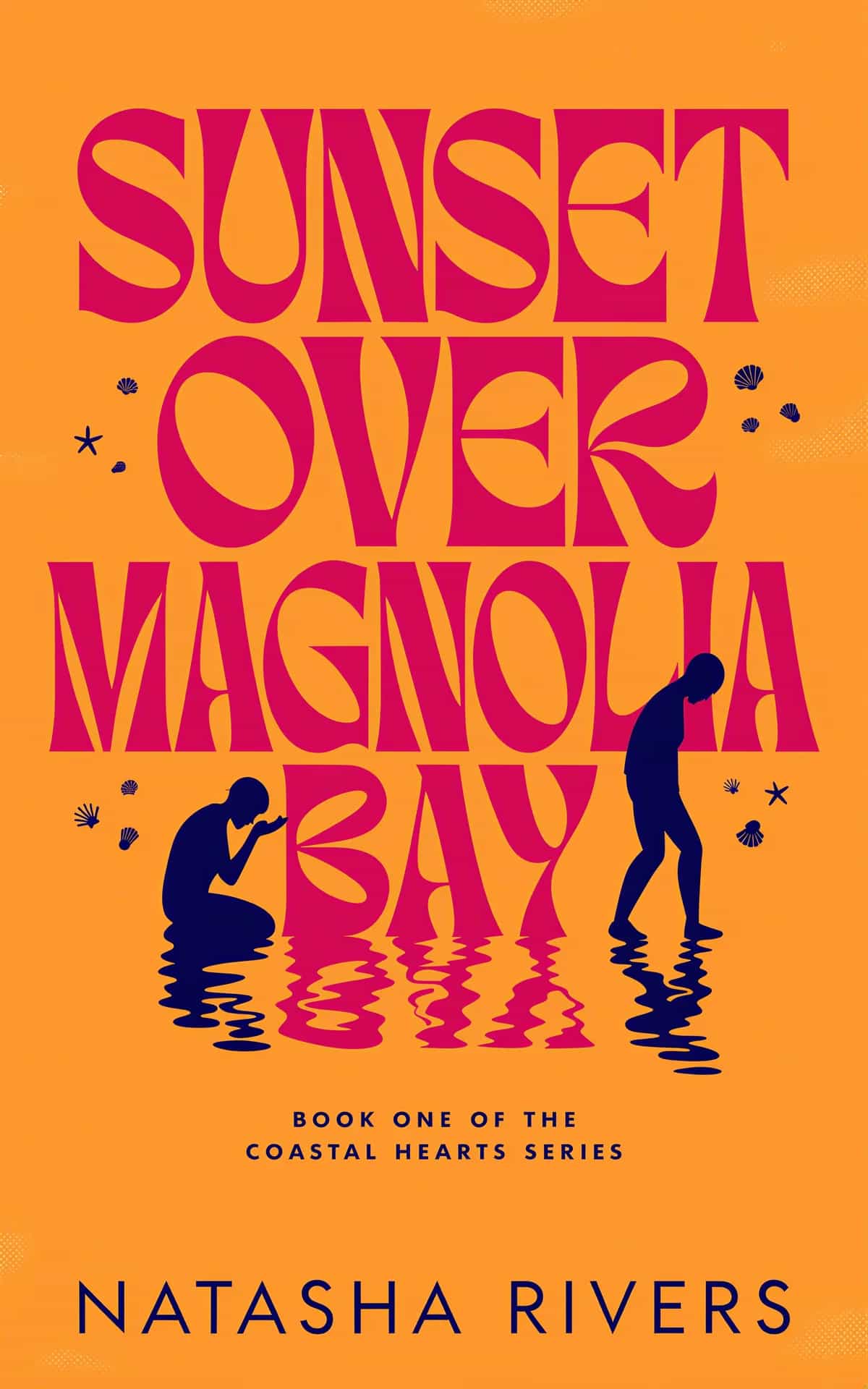
AI Book Cover Design That Actually Sells Books
A practical guide to AI book cover design. Learn how to craft compelling prompts, master typography, and create KDP-ready files that attract readers.
Posted by
Related reading
How to Design a Science Fiction Book Cover That Sells
A practical guide to designing a science fiction book cover that grabs attention. Learn subgenre cues, typography, AI tools, and testing for market success.
Mastering the Principles of Design Repetition
Discover the principles of design repetition to create unified and memorable designs. Learn the core benefits, types, and common mistakes with clear examples.
12 Best Books on Color Psychology for Authors and Designers in 2025
Discover the top 12 books on color psychology to create better, genre-perfect book covers. Our list helps authors and designers master color theory.
AI book cover design is a total game-changer, letting authors create high-quality, genre-specific artwork without the huge price tag or long wait times of hiring a designer. Using simple text prompts, you can bring your vision to life and maintain full creative control over your book's most important marketing tool.
Why AI Is a Game Changer for Author Book Covers
If you've ever gotten a quote from a cover designer, you know that sinking feeling. It can be completely defeating, especially for indie authors trying to manage a budget. For years, the only real options were to shell out hundreds (or thousands) for a professional design or try to cobble something together yourself that, let's be honest, often screamed "self-published."
AI book cover generators are finally leveling that playing field.

This isn't just about making pretty pictures. It's about taking back creative power. Before we jump into the "how-to," it helps to understand what AI-generated content is and how it's reshaping creative industries. For authors, it means you're no longer just a client waiting for proofs—you're the creative director.
Taking Control of Your Vision and Budget
Authors are now using AI as a creative partner to brainstorm ideas, test out different concepts, and produce market-ready covers without the traditional overhead. This isn't some future-is-coming idea; it's happening right now. A 2024 report from Design Intelligence showed that 35% of publishers are already using AI to help with cover design tasks like layout and color choices.
This technology gives you some serious advantages:
- Rapid Prototyping: Instead of waiting weeks for a concept, you can generate dozens in minutes. This lets you see what works and what doesn't, fast.
- Cost-Effectiveness: It crushes the financial barrier to entry, putting a professional-looking cover within reach for every single author.
- Creative Freedom: You can experiment with wild ideas and unique styles that a traditional designer might shy away from, making sure the final cover truly captures your story.
The real magic of AI is its ability to translate your abstract ideas into something you can actually see, almost instantly. You can visualize your main character, bring a key scene to life, or just nail the perfect mood for your novel in a way that used to require a hefty investment.
Walk through the Kindle store today, and you'll find countless AI-assisted covers that stand shoulder-to-shoulder with designs from major publishing houses. This guide will show you exactly how to do it yourself. And if you're wondering which tool to use, our breakdown of the best AI book cover generator is a great place to start.
An incredible AI-generated book cover is never an accident. The real magic isn't in the AI itself, but in how you talk to it. A powerful, well-structured prompt is your creative brief, the essential tool for guiding the AI from a vague idea to the exact image that will sell your book.

Before you even think about writing a prompt, go do some market research. Seriously. Open up Amazon and look at the top 20 bestsellers in your exact sub-genre. What visual language are they using? Note the common color palettes, character poses, and typography styles. You can find tons of book cover design inspiration to get a feel for what’s connecting with readers right now. This isn't about copying; it's about understanding the visual conversation your cover needs to join.
Building Your Master Prompt from Scratch
Your master prompt is the foundation for everything. Think of it less as a single sentence and more as a detailed set of instructions. A great prompt breaks down your vision into distinct components the AI can actually understand and execute.
I like to think of it like building with LEGOs—each piece is a specific instruction that snaps together. Your prompt should clearly define these core elements:
- Subject: Get specific. Who or what is the focus? Describe their appearance, clothing, actions, and expression. "A handsome man" is weak. "A ruggedly handsome man with a five-o'clock shadow, wearing a worn leather jacket, looking over his shoulder with a worried expression" is strong.
- Art Style: Is this photorealistic? A vibrant digital painting? Or maybe something more unique like anime, watercolor, or even a linocut style? Be precise.
- Composition: How is the subject framed? Use photographic terms. Is it a close-up portrait, a dramatic wide shot of a desolate landscape, or a dynamic action shot from a low angle?
- Lighting: This is your mood-setter. Don't just say "dark." Say dramatic rim lighting, soft golden hour glow, or ominous, hard shadows from a single light source. Lighting makes a huge difference.
- Mood & Tone: Use adjectives to describe the feeling. Is it eerie and suspenseful? Hopeful and romantic? Gritty and dystopian?
By layering these details, you transform a vague idea like "a fantasy warrior" into a precise command: "A close-up portrait of a fierce female elf warrior with silver braided hair, a determined expression, wearing ornate steel armor with glowing runes, dramatic rim lighting, epic fantasy digital painting."
Using Genre Conventions to Your Advantage
While every book is unique, genres absolutely follow visual conventions. Readers have expectations. Using a genre-specific structure for your prompt gives you a massive head start that you can then customize for your story. It's way more effective than starting from a blank slate every single time.
This quick reference table breaks down the key components you'll need for some of the most popular genres.
| Genre-Specific AI Prompt Components | | :--- | :--- | :--- | :--- | | Genre | Key Subject Elements | Common Style & Mood | Example Lighting | | Thriller/Suspense | Lone figure, obscured face, dark alleyways, foggy roads, running silhouette. | Photorealistic, cinematic, gritty, mysterious, high-contrast. | Hard shadows, single light source, moody blue tones, stark streetlights. | | Fantasy | Ornate armor, glowing magic, mythical creatures, ancient castles, epic landscapes. | Digital painting, epic, painterly, hyper-detailed, magical. | Dramatic rim lighting, ethereal glow, golden hour, god rays through clouds. | | Romance | Couple embracing, longing glances, scenic backdrops (beaches, meadows), soft textures. | Soft focus, warm, romantic, beautiful, often photorealistic or painterly. | Soft morning light, sun-drenched, warm backlighting, lens flare. | | Sci-Fi | Spaceships, futuristic cityscapes, alien worlds, glowing neon, advanced technology. | Sleek, modern, cinematic, often photorealistic with digital elements. | Neon glow, cold blue hues, lens flares, stark contrast of space and light. | | Cozy Mystery | Quaint town square, charming bookstore, teacup, baked goods, a clue (magnifying glass). | Illustrated, charming, bright, warm, inviting. | Warm, sunny day; soft, indoor lamplight; cheerful and bright. |
Use these as your starting point. A thriller prompt, for instance, needs to build tension right away. You might start with a base like: "A lone figure in a trench coat stands at the end of a foggy, rain-slicked alleyway, seen from behind, cinematic lighting, suspenseful and mysterious mood, photorealistic."
For a romance cover, you’re selling a completely different feeling—intimacy and connection. A good foundation would be: "A loving couple in a gentle embrace in a sun-drenched meadow filled with wildflowers, soft focus, warm and romantic mood, beautiful digital painting."
These structures give you a reliable framework. From there, you just need to layer in the unique details of your story—the character's hair color, the specific city in the background, or the exact emotion you want the reader to feel. That’s how you make the final AI cover design truly yours.
Bringing Your Cover Art to Life
Alright, you’ve got your master prompt. Now for the fun part: actually making the art. This is where you and the AI become collaborators. Forget just hitting the 'generate' button and crossing your fingers. The real skill is in spotting a strong starting image and then using the AI's own toolkit to polish it into something truly professional.
When you're ready to start generating, you might want to look into dedicated AI tools for book cover images, as they often streamline this whole process. The key is to avoid getting stuck in a loop of rerunning your main prompt over and over. Your goal isn't to get one perfect image out of the gate; it's to find a promising concept and then build on it.
Find a Good Base, Then Use Variations
Once you get an image that’s about 70-80% of the way there, stop generating new concepts from scratch. Seriously, stop. That image is now your new foundation. Instead of starting over, use the "variations" feature. This tells the AI, "I like this one, give me more like it," creating new images based on the composition and style of your selection, but with small, interesting differences.
This approach is so much more efficient. It lets you:
- Subtly change a character's expression or tweak their pose.
- Play with the lighting or mood without losing the entire scene.
- See how tiny adjustments can shift the whole feel of the cover.
You might discover a variation gives your fantasy hero a grittier, more determined look, or it might deepen the shadows in a thriller scene for extra suspense. These are the small wins that add up to a big impact.
In-painting and Out-painting: Your Secret Weapons
Even the best AI generations have their quirks. You know what I'm talking about—the dreaded six-fingered hands, weird artifacts in the background, or text-like gibberish that makes no sense. This is where the precision editing tools become your best friends.
In-painting (sometimes called "generative fill") is a lifesaver. It lets you draw a mask over a specific part of the image and regenerate only that area. Got that six-fingered hand? Just mask it, type a simple prompt like "woman's hand holding a glowing orb," and let the AI fix it. It’s like performing microsurgery on your image, saving you from tossing out an otherwise perfect composition.
Out-painting (or "expanding the canvas") is absolutely essential if you're planning a print version. An ebook cover is a simple rectangle, but a paperback needs a full wraparound cover with a spine and back. Out-painting extends your image, intelligently filling in the new space to match the existing art. You can expand a sweeping landscape or add more of a simple background to create a seamless, print-ready file.
Your goal isn't to get a flawless image on the first try. It's to get a strong foundation and then use the available tools to surgically correct, refine, and expand it. This iterative process is what separates an amateur AI image from a professional AI book cover design.
Upscaling for That Print-Ready Polish
The final step in your image creation workflow is upscaling. Most AI tools generate initial images at a lower resolution (like 1024x1024 pixels) because it's faster. That’s perfectly fine for your screen, but it will look like a blurry, pixelated mess in print.
Upscaling uses AI to intelligently increase the image's resolution, adding detail and sharpening the edges without destroying the quality. For a standard KDP paperback, you need an image resolution of 300 DPI (dots per inch). Upscaling is what gets your artwork to that professional printing standard, ensuring the final product is crisp and clean. Always upscale your final, edited image before you even think about adding typography.
Getting Typography and Layout Right
A stunning AI-generated image is a fantastic start, but it's the typography that truly turns it into a professional, marketable book cover. You can have a breathtaking piece of art, but if you slap sloppy, unreadable text on it, you’ll sink your book’s chances on a crowded digital shelf. Getting the text right is what signals to a reader that this is a high-quality book worth their time and money.
The creative process of getting that core image is really just the first half of the equation.

This workflow gets you a beautiful piece of art, but the journey to a finished, sales-ready cover doesn't end there. The next steps are all about the words.
Choose Fonts That Speak Your Genre
Your font choice is a powerful, instant signal to potential readers. Just like the cover image itself, fonts carry strong genre associations. A mismatched font creates confusion and makes your book look amateurish. Readers have expectations—give them the visual cues they’re looking for, and you'll build immediate trust.
Think about these common pairings you’ve seen a thousand times:
- Thrillers & Sci-Fi: These genres often use bold, clean, sans-serif fonts like Helvetica or Bebas Neue. They feel modern, sharp, and sometimes stark.
- Fantasy: Here, you'll frequently see serif fonts with a touch of elegance or ancient flair—think Trajan Pro or Cinzel. These suggest something epic, historical, or magical.
- Romance: This genre typically features script fonts or elegant serifs. Cursive styles suggest intimacy and passion, while delicate serifs can evoke a more classic, heartfelt story.
Don’t try to reinvent the wheel with your font. Your goal is to meet reader expectations, not subvert them. The best research you can do is to spend ten minutes browsing the top 100 bestsellers in your category on Amazon.
Create a Clear Visual Hierarchy
Once you've picked your fonts, you have to arrange them so they make sense. Visual hierarchy is simply the art of making the most important information stand out. For a book cover, this almost always follows a predictable pattern.
- Title: This is the star of the show. It has to be the largest, most prominent text on the cover. Make it instantly readable, even as a tiny thumbnail on a phone screen.
- Author Name: Usually the second-largest element. Its size often depends on the author's brand recognition. A big-name author's name might be just as large as the title itself.
- Tagline or Subtitle: This is the smallest text. It’s there to add context or a hook, but it should never compete with the title for attention.
The key to making this work is contrast. Place light text on dark areas of your image and dark text on light areas. If your background image is too "busy" to find a clean spot, you can add a subtle drop shadow or a faint outer glow to your text. This helps it pop off the page without looking tacky. If you want to dive deeper, there are some great guides that offer more advanced book cover design tips on creating contrast and flow.
Finalizing your AI book cover means marrying your beautiful image with typography that works hard to sell your story. Respect genre conventions, create a clear hierarchy, and you'll ensure your cover doesn't just look great—it will do its job as your single most important marketing asset.
Getting Your Cover Ready for KDP and Print
You’ve wrestled with prompts, tweaked the typography, and now you’ve got a cover image that looks absolutely stunning on your screen. But we're not quite at the finish line yet. The final hurdle is getting that design technically ready for platforms like Amazon KDP or IngramSpark.
This last step is all about precision. Get it right, and your launch day will be smooth sailing. Get it wrong, and you'll be staring at frustrating upload errors while your deadline looms. You’ll generally need two different formats: one for your ebook and a more complex one for your print version.
Setting Up Your Ebook Cover
The ebook cover is the easy part. It’s just a single, flat JPEG that shows up on digital storefronts and inside the reader's Kindle library. While the platforms can be a bit forgiving, you should always aim for the professional standard right out of the gate.
Here are the key specs to lock in:
- Dimensions: Go with 1600 x 2560 pixels. This is the golden ratio KDP recommends, and it guarantees your cover will look crisp and correctly proportioned on every device.
- Resolution: Stick to 72 DPI (dots per inch). That's the universal standard for anything viewed on a screen.
- Color Mode: Always use RGB (Red, Green, Blue). This color profile is designed specifically for digital displays, making your colors pop just as you intended.
- File Format: Export your masterpiece as a high-quality JPEG or TIFF. While KDP accepts both, JPEG is the go-to for pretty much everyone.
Prepping the Print Cover File
This is where things get a little more involved. A print cover isn’t just the front; it’s a single, continuous file that includes the front, the back, and the spine. Before you even think about laying this out, your first stop must be the cover template generator on your printer's website (KDP and IngramSpark both have one).
This template is non-negotiable. It gives you the exact dimensions you need based on your final trim size, page count, and even the type of paper you chose.
Do not, under any circumstances, guess your spine width. Even being off by a millimeter can throw your spine text off-center or make it wrap weirdly around the edge. Always, always use the official template.
With your template in hand, you’ll pull everything together in a design tool like Canva, Affinity Photo, or Photoshop. You'll place your AI artwork on the front, design a compelling back cover with your blurb and a spot for the barcode, and lay out your spine text perfectly.
For print, the technical specs are much stricter:
- Resolution: The industry standard is 300 DPI, minimum. Anything less will look blurry and pixelated in person, instantly screaming "amateur."
- Color Mode: Your file must be in CMYK (Cyan, Magenta, Yellow, Black). This is the color model that physical printing presses use. If you upload an RGB file, the colors will automatically be converted, and they often end up looking dull, flat, or just plain wrong.
- Flattening and Exporting: Once you're happy with the layout, flatten all the layers into one single image. This locks everything in place and prevents text or other elements from shifting around during the printer's processing. Finally, export the whole thing as a print-ready PDF. It’s the universal format that nearly every print-on-demand service requires.
Nail these technical details, and your cover will go from your screen to a reader's hands without a single technical hiccup.
Got Questions About AI Book Covers?
If you're just dipping your toes into AI for your book cover, it's totally normal to have a few questions. This technology is moving at a breakneck pace, and there's a ton of noise out there about the legal, ethical, and practical sides of it all.
Let's cut through the confusion and tackle the most common concerns I hear from authors every day.
So, Is It Actually Legal to Use an AI Image on a Book I Sell?
Yes, but this is a big one: it completely depends on the AI generator's terms of service. You can't just grab an image from any old tool and assume you're cleared for commercial use. That's a fast track to trouble.
Here's the deal: reputable platforms like Midjourney have paid subscription plans that specifically grant you a commercial license to use and, more importantly, sell the images you generate. Always, always read the fine print. Sticking with a well-known service that has a crystal-clear commercial use policy is the safest and most professional way to handle your ai book cover design.
Help! My AI Image Has Weird Hands and Gibberish Text!
Ah, the classic AI quirks. This is probably the number one frustration for new users, but thankfully, the fixes are pretty straightforward once you know the tricks. AI is famously terrible at rendering hands and text, so the smartest move is to sidestep these weaknesses from the get-go.
- For the dreaded "AI hands": The easiest fix is to just tell the AI to hide them. Prompt your character to hold an object, stick their hands in their pockets, or pose in a way that naturally conceals them. If you get an otherwise perfect image with one wonky hand, you can use an in-painting tool in an editor like Photoshop to regenerate just that small area. Problem solved.
- For the garbled text: Don't even try to get the AI to generate your title directly on the artwork. It almost never works and ends up looking like an alien language. Instead, generate the art completely clean—no text at all. Then, add your title and author name in a separate design program like Canva or Affinity Publisher. This gives you total control over your fonts, placement, and legibility.
The best workflow, hands down, is to treat the AI as your artist and a separate design program as your typesetter. Keeping these two jobs separate is the secret to a professional-looking final cover.
Can an AI Cover Really Look as Good as One from a Professional Designer?
With the right eye for detail and some solid prompting skills, an AI-assisted cover can absolutely look professional enough to hang with the bestsellers. The magic isn't just in the AI; it's in your ability to craft a great prompt, understand what your genre's readers expect, and nail the typography and layout.
Look, a human designer brings years of marketing savvy and an innate sense of current trends that an AI just can't match. But for many indie authors, AI provides an affordable, high-quality alternative that blows a typical DIY cover out of the water. It closes the gap between a shoestring budget and a cover that truly looks ready for the market.
Ready to create a cover that actually sells books? BeYourCover gives you the AI tools and creative control to design a professional, sales-ready book cover in minutes, not weeks. Try it for free and get your first two covers on us!