How to Design a Book Cover That Sells
Learn how to design a book cover that captivates readers. Our guide offers actionable tips on genre research, typography, and layout for indie authors on KDP.
Posted by
 Pablo Yáñez
Related reading
How to Write an Ebook in 2026: A Step-by-Step Guide
Learn how to write an ebook that sells. Our practical guide covers topic validation, drafting, editing, formatting, cover design, and launching on KDP.
Children Book Illustration: From Concept to KDP
Learn the essentials of children book illustration in our complete guide for indie authors. Covers styles, hiring illustrators, budgets, and KDP print specs.
The Bright Pink Color Code for KDP Book Covers
Find the right bright pink color code for your book cover. This guide covers hex, RGB, and CMYK values, plus KDP print settings and design tips for authors.
Ready to design your cover?
Use our AI book cover generator to create tailored book cover concepts in minutes.


Your book cover is the single most important piece of marketing you own. For indie authors on Amazon, it's your 24/7 salesperson, with less than two seconds to grab a potential reader's attention and signal that your book is exactly what they're looking for.
Learning how to design a book cover that works—or how to guide a designer with confidence—is an essential skill for success in today's crowded market.
Your Blueprint for a High-Converting Book Cover
A great cover does more than hint at the story. It instantly signals the genre, tone, and the promise of the experience waiting inside. It’s a visual handshake with your ideal reader, telling them this book is for them.

This guide is your complete blueprint. We'll walk through the entire process, from the high-level strategy of genre research to the technical details of exporting files for KDP. We’re covering everything you need to make informed decisions that meet reader expectations and drive sales.
The Core Stages of Book Cover Design
Professional cover design isn’t a chaotic scramble of ideas; it’s a methodical process where each step builds on the last. Skipping a stage is the fastest way to an amateur-looking cover that hurts sales. Understanding what makes a good book cover from a strategic standpoint is always the best place to start.
Here’s a high-level look at the workflow we'll be following.
Core Stages of Book Cover Design
| Stage | Objective | Key Action |
|---|---|---|
| Research | Understand your genre's visual language | Analyze top-selling covers in your specific KDP sub-category |
| Concept | Develop core visual ideas | Brainstorm imagery, typography, and mood that fit genre expectations |
| Composition | Arrange elements for maximum impact | Optimize layout for thumbnail legibility on Amazon |
| Execution | Prepare final files for publication | Export print and ebook files to KDP technical specifications |
This structured approach helps you sidestep common blunders, like falling in love with an image that screams the wrong genre or finalizing a design that turns into an unreadable smudge at thumbnail size.
A successful cover doesn't tell the whole story. Its job is to capture the feeling of the book and signal the genre, enticing the right reader to click and learn more.
Stage 1: Decoding Your Genre for Commercial Success
Before you even think about fonts or images, your first job is to become fluent in the visual language of your genre. Readers scrolling through Amazon have deeply ingrained, subconscious expectations for what a thriller, romance, or fantasy cover should look like. Violating those expectations is the fastest way to confuse your potential audience and lose a sale before they even read your blurb.
The goal here isn’t to create a carbon copy of a bestseller. It’s about achieving instant recognition. When a reader’s thumb is flying past your thumbnail-sized cover, you want their brain to immediately register, "Ah, a dark fantasy," or "This looks like my kind of cozy mystery." That split-second connection is where a commercially successful cover begins.
How to Conduct Practical Market Research
Forget what you think a cover should look like. Your best research lab is the Amazon bestseller list for your specific sub-category. The data is right there, showing you exactly what’s selling right now.
Here's a simple, practical way to approach it:
- Drill Down: Don't just browse "Romance." You need to go deep into "Contemporary Romance" or even "Billionaire Romance." The more niche your category, the clearer the visual patterns will be.
- Build a "Swipe File": Open the Top 50-100 bestsellers in your specific category and take screenshots. Your goal is to create a visual library of what success looks like in your corner of the market today.
- Identify Patterns: As you look through your screenshots, start hunting for common threads. What colors, fonts, imagery, and layouts appear again and again?
Think of your book cover as a promise. By using familiar genre signals, you're promising readers an experience they already know they love. It makes the decision to click "Buy Now" a whole lot easier.
This isn't about killing creativity; it's about making smart, informed decisions. For example, the visual cues for fantasy book covers are worlds apart from romance book covers. That dark, gritty font that screams "epic fantasy" would feel completely out of place on a lighthearted romance cover, instantly signaling a mismatch to the reader.
Checklist: Identifying Key Visual Tropes
As you sift through your collection of bestselling covers, you'll see clear trends emerge. Create a simple document to track these tropes. This becomes your design playbook.
- Color Palette: Is there a dominant color scheme? Thrillers often use dark blues and blacks with high-contrast yellow or red. Cozy mysteries might lean into bright, cheerful pastels.
- Typography Style: Are the fonts serif (with decorative feet), sans-serif (clean and modern), or script (elegant and flowing)? Notice how often you see distressed fonts on post-apocalyptic stories. We've explored this in depth for science fiction book cover design.
- Imagery Subject: What’s the main focus? A lone figure? A couple? A symbolic object? An abstract design? Think about how many legal thrillers feature gavels or scales of justice—it's a visual shortcut.
- Composition & Layout: How are the title and author name arranged? Is the title huge and front-and-center, or is the author's name the most prominent element? This often depends on the author's brand recognition.
- Overall Mood: What’s the first emotion the cover evokes? Is it tense, romantic, mysterious, or uplifting? This is the result of all the other elements working together.
This research phase removes the guesswork and grounds your design in what’s proven to attract readers on platforms like KDP.
Stage 2: Choosing Your Core Creative Elements
With your genre research complete, you have a powerful filter for every design choice. The next step is selecting the raw materials for your cover—the typography and imagery that will forge an instant connection with your ideal reader. These two elements must work in perfect harmony to reinforce the promise you’re making about the story inside.
The Power of Typography
Never treat fonts as an afterthought. They carry a massive psychological weight. A single font change can transform a cover from a gritty thriller to a sweeping historical romance. Publisher A/B tests consistently show that strong typography is one of the biggest drivers of clicks. Following book cover trends like oversized, bold type can significantly boost ad performance.
Let's break down the three main font families and their typical uses:
- Serif Fonts: These have small decorative “feet” at the ends of the letters (e.g., Garamond, Times New Roman). They feel classic, traditional, and serious, making them common in literary fiction, historical novels, and epic fantasy.
- Sans-Serif Fonts: Clean, modern, and direct (e.g., Helvetica, Lato). They are workhorses for non-fiction, sci-fi, and thrillers, creating titles that pop even at thumbnail size.
- Script Fonts: These mimic handwriting, from elegant calligraphy to a casual scrawl. They dominate the romance genre because they convey intimacy and emotion. For a masterclass in this, just look at the flowing scripts used in these script-lettered romance covers.
Selecting Your Primary Imagery
This is your cover’s main event. It's the first thing a reader’s eye locks onto, so it must be compelling. Your central image needs to hint at the story's core mood or conflict without revealing too much. Your choice will generally fall into one of three categories.
1. Photography Photos ground a cover in reality. They feel immediate and visceral, which makes them perfect for contemporary thrillers, most non-fiction, and character-driven romance. You can find commercially licensed images on sites like Adobe Stock or Shutterstock. The key is to find a photo with a clear focal point and enough negative space for your text.
2. Illustration Illustrations offer total creative control. Want to depict a sprawling alien cityscape or a character with glowing eyes? This is where illustration shines, making it the standard for fantasy, science fiction, and children’s books, as these children's book cover examples show. A unique illustration can also become the visual signature for an entire series.
3. Symbolic or Abstract Design Sometimes, the most powerful image isn’t a person or a place—it's an object loaded with meaning. A single, potent symbol like a broken crown or a wilting rose can say more about your book's theme than a busy scene. This minimalist approach is common in literary fiction and psychological thrillers.
A common mistake is choosing an image that's too busy. Your cover must pass the "thumbnail test" on an Amazon search page. A simple, high-contrast image with one clear focal point will always outperform a cluttered design.
This conceptual stage is about creative exploration, but manually mocking up combinations of fonts and images is time-consuming. This is where creating or testing variations with an AI tool can be a powerful shortcut. Instead of spending hours in design software, you can generate multiple genre-aware visual concepts in minutes, allowing you to rapidly test different approaches to see what best captures your story’s essence.
Stage 3: Mastering Composition for Thumbnail Impact
You can have the perfect typography and image, but if you just slap them together, the design will fail. The magic happens in the composition—how you arrange these elements for maximum impact. This is what separates a cover that gets scrolled past from one that stops a reader dead in their tracks.
Your primary goal is to design for the thumbnail first. If your cover is clear and compelling at that tiny size on an Amazon search page, it will work everywhere.
Visual Hierarchy and Reader Focus
One of the most effective compositional tools is the rule of thirds. Imagine your cover split into a 3x3 grid. By placing your most important elements—the title, a character’s eyes, a key symbol—along those lines or at their intersections, you create a more dynamic and professional layout that guides the reader’s eye.
Next, consider visual weight. This is the perceived importance of each element.
- Size: Larger elements feel more important.
- Color: Bold, warm colors like red and yellow carry more weight than cool colors like blue or gray.
- Contrast: High-contrast elements, like bright white text on a black background, demand attention.
A great composition feels balanced. If you have a large, dramatic image on one side, you need something on the other—like a bold title—to keep it from feeling lopsided.
A cover with a clear focal point wins every time. Don't try to cram every character and plot twist onto the front. Pick one powerful idea and give it room to breathe.
Using Negative Space Strategically
Sometimes, the most powerful design element is what you leave out. Negative space—the empty area around your title and imagery—is an active component. Clutter is the enemy of a good thumbnail. When too many things compete for attention, they create noise. Negative space gives your key elements room to shine, forces focus onto the title, and makes the design feel more confident.
For genres like psychological thrillers, generous use of negative space is part of the visual language. You can see how professionals use this technique by observing top-selling thriller examples and thriller book covers.
Designing for the Thumbnail First
On Amazon, the thumbnail is your cover. It’s the first, and often only, impression you make. Marketplace studies consistently show that covers designed for thumbnail clarity get a significant boost in clicks. Simple tactics like making the title take up 20–30% of the thumbnail’s total height are proven conversion boosters. You can learn more about the data behind these powerful design choices and how they drive sales.
Here's a quick checklist for your design:
- Is the contrast high? Think light text on a dark background, or vice-versa.
- Is there one clear focal point? Does your eye know exactly where to look?
- Is the title instantly legible? Can you read it without squinting?
- Is the imagery simple? A single, striking silhouette will always beat a detailed group scene at thumbnail size.
Getting the composition right isn’t just about aesthetics. It's about giving your book a massive competitive advantage on the digital bookshelf.
Stage 4: Finalizing Files for KDP
You’ve done the creative work, and your cover looks fantastic. Now comes the final, critical hurdle: preparing your design files to meet Amazon KDP’s strict technical specifications. Getting this wrong can lead to frustrating delays or, even worse, a blurry, unprofessional-looking book.
Let’s walk through exactly what you need to do to prepare your files correctly.
Ebook Cover Specifications
The ebook process is relatively simple. You are creating a single JPEG image for the front cover.
KDP has specific requirements to ensure your cover looks crisp on every device:
- File Format: Use JPEG or TIFF. JPEG is the industry standard and works perfectly.
- Dimensions: KDP's ideal aspect ratio is 1.6:1 (height to width). The recommended size is 2,560 pixels tall by 1,600 pixels wide.
- Resolution: While 72 DPI (dots per inch) is the standard for screens, exporting at 300 DPI is a best practice that ensures maximum quality.
- Color Mode: Your file must be in RGB (Red, Green, Blue), the standard for all digital screens.
Print Cover Requirements: The Full Wraparound
A print cover is more complex. It's a single, continuous file that includes the front, back, and spine, all calculated to precise dimensions.
The trickiest part is the spine width, which is determined by your final page count and the paper type you choose (cream paper is slightly thicker than white).
Never guess your spine width. Use KDP’s official tools to get the exact measurement. A miscalculated spine is the #1 reason files get rejected.
To get your exact dimensions, use the KDP Cover Calculator. You’ll enter your trim size (e.g., 6" x 9"), page count, and paper type. It will generate a template with the precise measurements you need, including the mandatory bleed area. Some tools with a built-in book cover generator are starting to include these KDP templates in their workflow, which can save a ton of time.
Non-Negotiable Technical Specs for Print
When you export your final print-ready file, it absolutely must meet these standards:
- Resolution (DPI): Your file must be 300 DPI. Anything less will result in a blurry, pixelated cover.
- Color Mode (CMYK): Print files must be in CMYK (Cyan, Magenta, Yellow, Black) color mode. This is the ink color space used by printers.
- Bleed: Your design must extend 0.125 inches (3.2 mm) beyond the final trim lines on all sides. This "bleed" area is trimmed off during production, ensuring your background art goes right to the edge of the page.
- File Format: KDP requires a single, flattened PDF file for print covers. Ensure all layers (text, images, effects) are merged into one cohesive image before exporting.
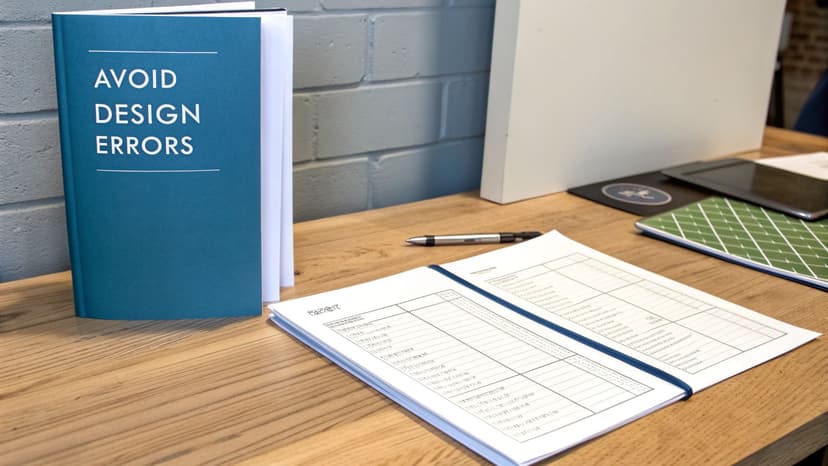
Common Cover Design Mistakes to Avoid
A great story can be undermined by a few common design pitfalls. Knowing how to design a book cover is as much about dodging these errors as it is about learning new skills.
Overlooking Legal and Licensing Issues
This is a critical one. Just because a font or an image is online doesn't mean it’s free for you to use on a commercial product. Using copyrighted material without the proper license can lead to legal action and require you to pull your book from sale.
- Images: Never grab an image from a Google search. Use reputable stock photo sites like Adobe Stock or Unsplash and ensure you have a commercial license.
- Fonts: Many "free" fonts are licensed for personal use only. Play it safe with open-source options like Google Fonts, or purchase a commercial license.
Cluttering the Design with Too Many Ideas
Authors often try to cram every character, symbol, and plot point onto the cover. This leads to a noisy, confusing design that readers will scroll past. A great cover telegraphs a single, powerful idea.
The goal of a cover is to capture the feeling of your book, not to summarize the plot. Think of it as a visual metaphor for the mood you want to create. Less is more.
Pick one strong focal point and let it breathe. If you want to see how professionals do this, look at bestsellers in your genre, such as these horror book cover examples—notice how often a single, haunting image does all the work.
Ignoring Thumbnail Readability
Most readers will first see your cover as a tiny thumbnail. If your design looks great full-size but becomes an unreadable smudge when shrunk down, it has failed its primary job.
Key Readability Pitfalls:
- Low Contrast: Light gray text on a slightly darker gray background will be invisible.
- Illegible Fonts: Overly complex script or thin fonts are impossible to read at thumbnail size.
- Busy Backgrounds: Text placed over a detailed image is visual chaos unless you use a solid color block or strong drop shadow to create separation.
The Thumbnail Test: Shrink your design down to about one inch tall on your screen. Can you still read the title instantly? Do you immediately understand the main image? If not, you need to simplify.
Frequently Asked Questions
Let's tackle some of the most common questions that indie authors face when designing their covers.
What resolution should my book cover be?
For print, 300 DPI (dots per inch) is non-negotiable. Anything less will look blurry and unprofessional. For ebooks, KDP's ideal size is 2,560 pixels tall by 1,600 pixels wide. While screens only require 72 DPI, exporting your ebook cover at 300 DPI is a best practice that ensures it looks crisp on all devices. The exact dimensions for a print cover depend on your trim size and page count, so always use KDP's cover calculator to get a precise template.
Can I use a free font on my cover?
Yes, but you must verify the license. Many "free" fonts are only free for personal, non-commercial use. Using a font on a book you intend to sell requires a commercial license. To avoid legal issues, stick to sources that offer clear commercial permissions.
- Google Fonts: All fonts here are open-source and free for any commercial project.
- Licensed Fonts: If you want something more unique, purchase a license from a reputable font marketplace like Creative Market or MyFonts.
How important is the back cover?
For print books, the back cover is critical. In a bookstore setting, the front cover makes someone pick up the book. The back cover copy is what they read right before deciding to buy.
The front cover makes a promise. The back cover provides the proof.
This is your prime real estate for a compelling blurb, a short author bio, and the ISBN barcode. A well-designed back cover reinforces the genre cues from the front, much like you’d see on these paranormal romance book cover examples, making the entire package feel professional and complete.
Ready to Create Your Own Book Cover?
Turn your story into a visual masterpiece. Fill in the details below to start generating professional covers instantly.
